1080x1350: the Instagram post size, and when to use another
1080x1350 is a 4:5 portrait, and it is the tallest Instagram post that the app, scheduling tools and ads all accept. Drop in an image to see how it crops, what the profile grid cuts and whether your scheduler should take it.
Runs in your browser. No upload, no email.

, 9 min read
On this page
Use 1080x1350 pixels (4:5) for most Instagram posts. It fills more of the phone than a square, it fits inside every limit Meta publishes, and the profile grid only trims 34 pixels from each side.
Instagram also takes 1080 x 1440 (3:4), and that is where advice splits. The app accepts it. Meta’s documentation for scheduling tools does not list it, although some tools publish it anyway. We cover what is documented and what has been seen to work below, with the sources.
Instagram post preview and 4:5 crop tool
Start with our sample, or use your own image to crop it to 1080x1350. Every size is drawn at the same scale, and striped edges are what the profile grid hides.
In your profile grid
- Instagram app
- Scheduling tools
- Feed ads
- Profile grid
- Sharpness
Your image stays in this browser. Nothing is uploaded.
What size are Instagram posts now?
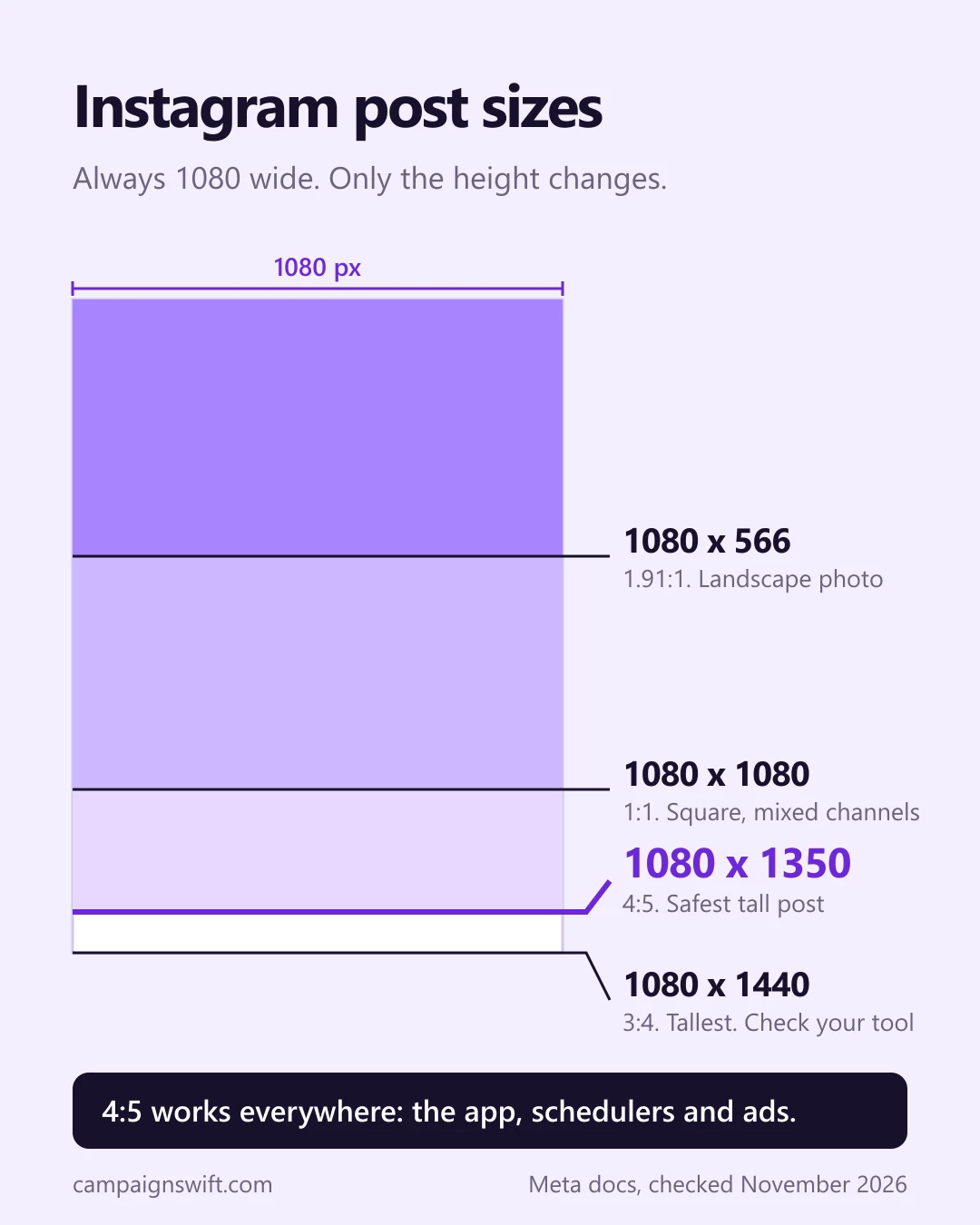
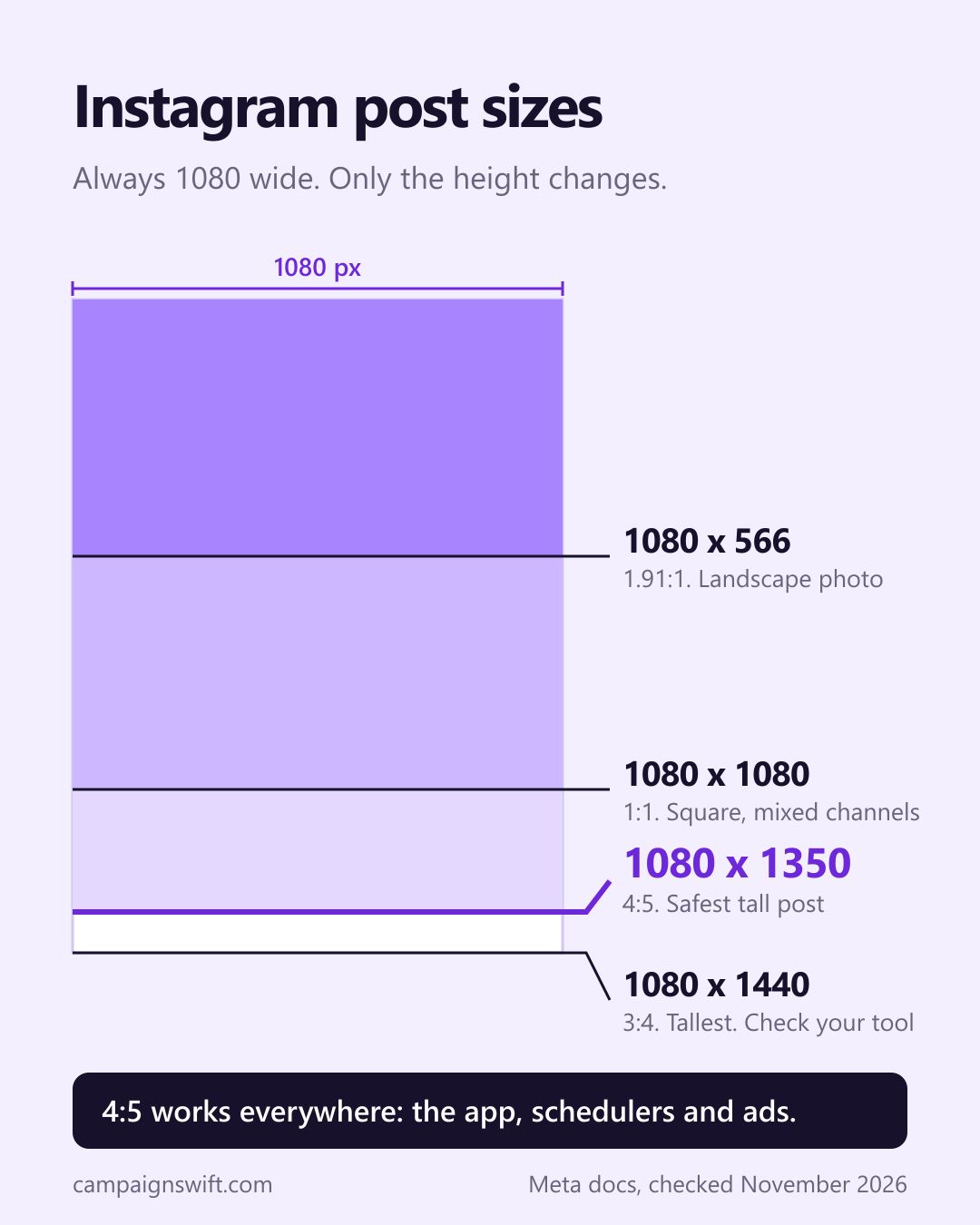
A photo post is always shown 1080 pixels wide. Only the height changes, from 566 to 1440 pixels. Here is the same coffee post at each one, to scale.
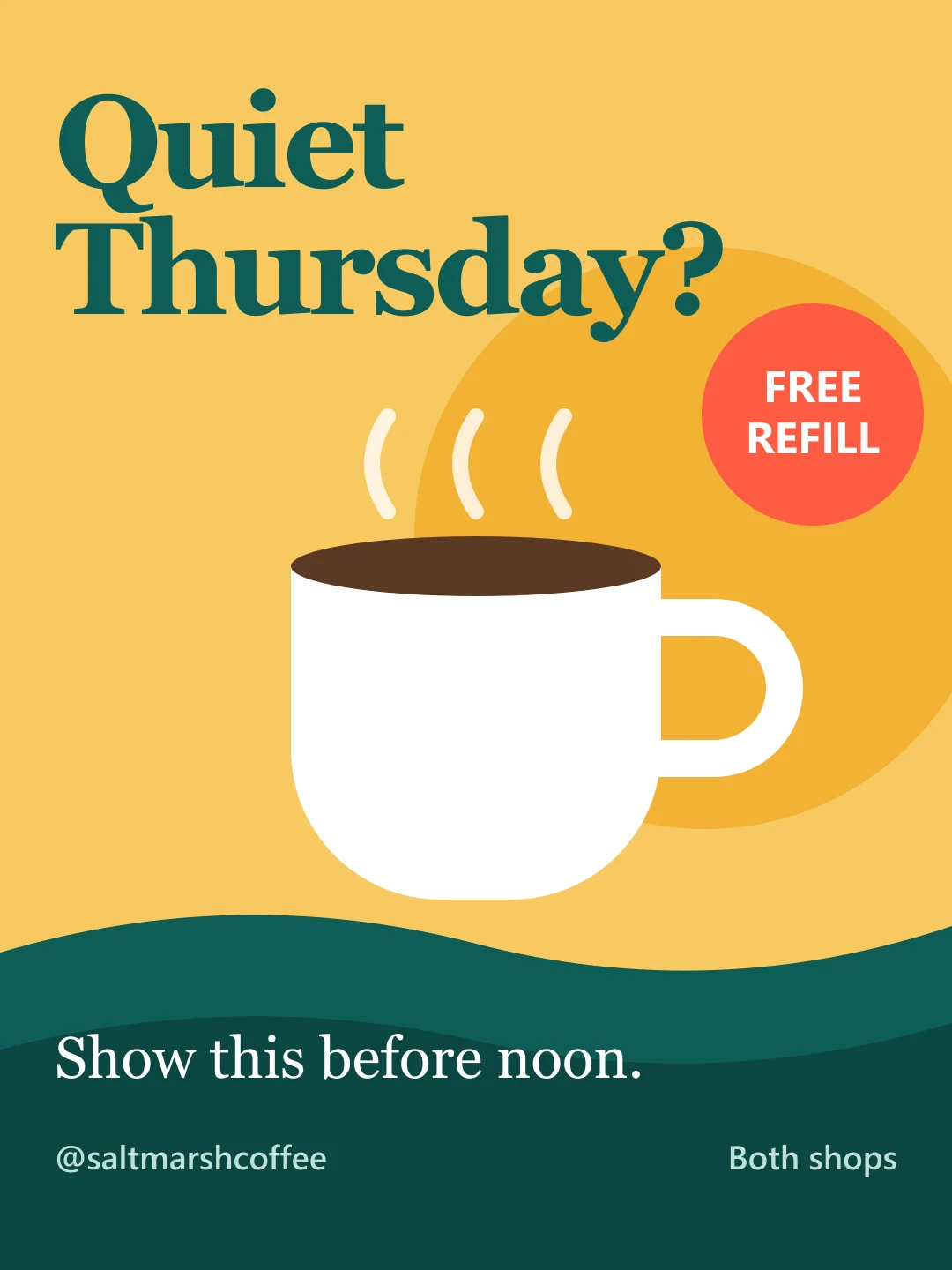 1080 x 5661.91:148% shorter than a square
- 1080 x 10801:1The old default
- 1080 x 13504:525% taller than a square
- 1080 x 14403:4Another 90 px, or 7%
Square or portrait: what the extra height buys
Next to a 1080 x 1080 post, 1080 x 1350 adds 270 rows of pixels without getting any wider. People scroll a feed vertically, so the taller post stays on screen a little longer. That is a reason to use it, not a promise of reach. If you post to both networks, read Instagram vs Facebook analytics before comparing numbers. To see what happened on your account, compare posts of both shapes with an engagement rate calculator.
1080x1350 vs 1080x1080 vs 1080x1440
Pick by where the post is going, not by which number is bigger. If two rows apply, take the one nearer the top.
| If | Use | Because |
|---|---|---|
| You schedule posts for clients | 1080 x 1350 | Inside the published limits of the app, the API and ads, so one file covers all three. |
| The post may become an ad | 1080 x 1350 | Meta recommends 4:5 for feed ads, at 1440 x 1800 if you have the pixels. |
| A phone or camera photo, posted by hand | 1080 x 1440 | Phones shoot 3:4, so nothing is cropped in the post or in the grid. |
| A planned profile grid | 1080 x 1440 | The tile is 3:4. Plan the order in a content calendar, and check that your tool takes 3:4. |
| The same image goes to several networks | 1080 x 1080 | A square is rarely cropped in a feed. It does lose its sides in the Instagram grid. |
| A group photo, landscape or screenshot | 1080 x 566 | Use it only when cropping would remove people. It is the smallest post on a phone. |
The 1080 by 1350 ratio, explained
The 1080 by 1350 ratio is 4:5. Divide both numbers by 270 and you get 4 and 5. Written as a decimal, 1080/1350 is 0.8. People also write it 1080:1350 or 1080x1350px. All of them mean the same tall rectangle.
1080 x 1350Portrait, 4:5. Four blocks wide and five tall, 270 pixels each. This is the Instagram post.
1350 x 1080Landscape, 5:4. The same numbers swapped. A 1350x1080 Instagram post shows 864 pixels tall.
1080 x 1920Full screen, 9:16. For Stories and Reels. Between the dashes is what is left if you crop it to 4:5.
What the 3:4 profile grid cuts from each size
Since January 2025 the profile grid uses tall tiles instead of squares. The tile takes the middle of your post and drops the rest, so a 1080 x 1350 Instagram post keeps its full height and loses a sliver at the sides.
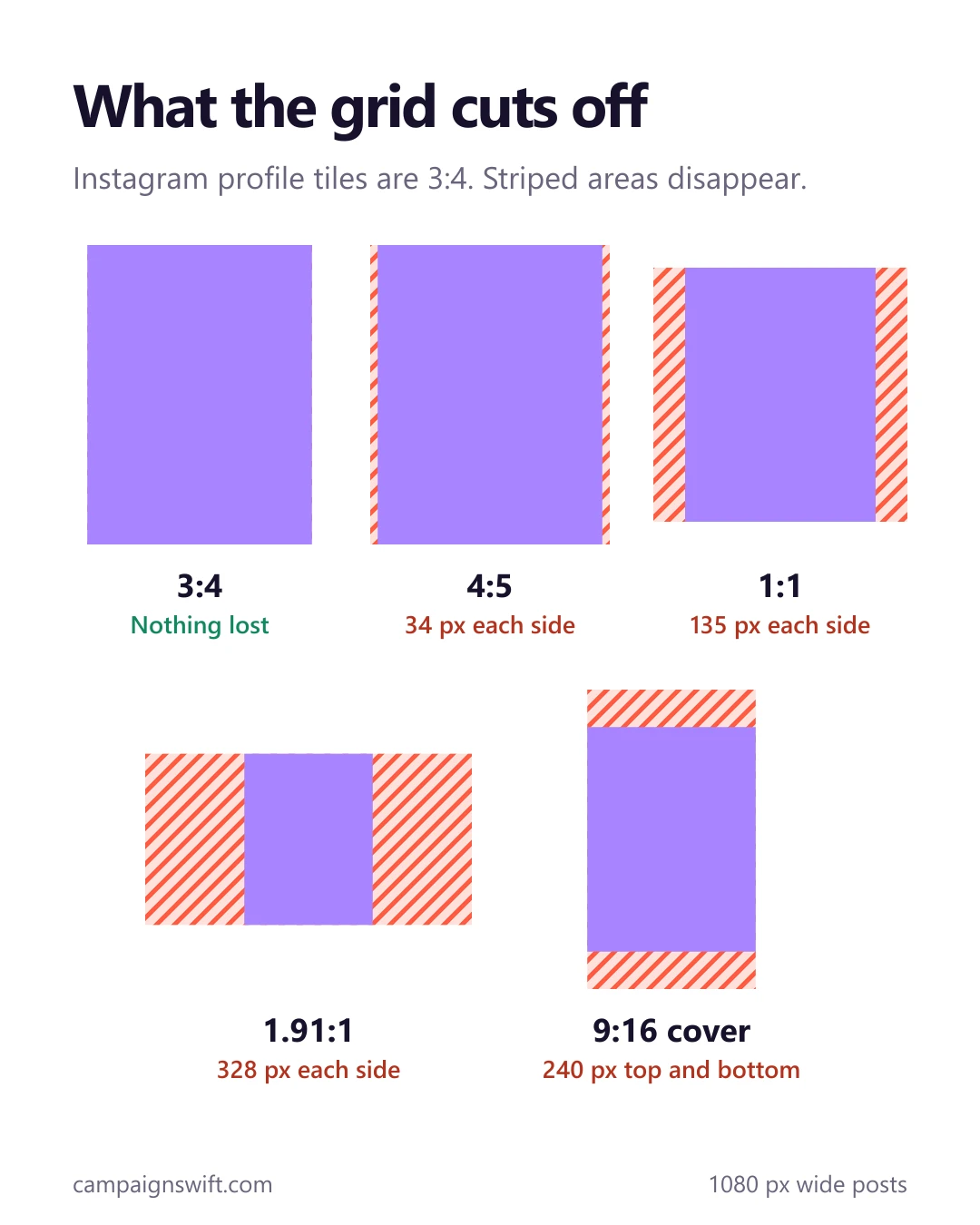
Three ways to keep the important part visible
- Keep faces, prices and logos out of the outer 34 pixels. Our guides mark that edge for you.
- On a square, use the middle 810 pixels. The grid removes a quarter of its width.
- Move the thumbnail after posting. Instagram lets you edit how a post appears in the grid. Treat that as a repair, because somebody has to remember to do it.
Reel covers are a different case. They are 9:16, so the tile removes 240 pixels from the top and 240 from the bottom. Cover text belongs in the middle, along with the other Reel margins.
App, scheduler or ad: who accepts 4:5 and 3:4
Posting from the phone and posting through a tool are not the same thing. Tools publish through Meta’s API, which has its own rules. Those rules still give 4:5 as the tallest image, while the app goes to 3:4. The sources below do not fully agree, so each row says where it comes from.
| Where | 4:5 | 3:4 | Carousel | What it says |
|---|---|---|---|---|
| Instagram app | Yes | Yes | 20 | Photos from 1.91:1 to 3:4. One orientation for the whole carousel. |
| Meta’s publishing API | Yes | Not listed | 20 or 10 | 4:5 to 1.91:1, JPEG only, 8 MB. The guide says 20 carousel items, the error-code page says 10. |
| Metricool help | Yes | Yes | Not stated | Feed images between 3:4 and 1.91:1. |
| Hootsuite help | Yes | Not named | 10 | Square, 4:5, or a wider range. The first image sets the carousel ratio. |
| Posteady’s own test | Not tested | Worked | 20 | A 3:4 image and a 3:4 carousel went out uncropped on 6 November 2026. One company’s report. |
| Instagram feed ads | Best | No | Separate | 4:5 is both the recommended ratio and the tallest. 1440 x 1800 recommended, 500 wide minimum, 30 MB. |
If a scheduled post fails, check these three first
- Shape
- Meta’s error 36003 means the ratio was refused. Re-export at 1080 x 1350.
- File type
- Meta’s guide accepts JPEG only. Some tools convert a PNG for you and some do not, so export a JPG.
- Connection
- If the file is fine, the login may have expired. Here is where to find scheduled posts in each app.
In CampaignSwift, the Publish Recovery agent tells you whether a failed post was a media problem or an expired login, and what to do about it.
How to resize a photo to 1080x1350
Crop first, then resize. Stretching a photo to fit the numbers makes people look wrong, and everyone notices.
- Crop to 4:5. Use the preview tool, or your editor’s 4:5 preset.
- Set the width to 1080. The height becomes 1350 on its own if the crop is right.
- Export a JPG in sRGB. Other color profiles can look dull after upload.
- Look at it small. If you cannot read the text in a thumbnail, neither can anyone on your profile.
How much of the photo you lose
- Phone photo, 3:445 px from the top and the bottom6%
- Camera photo, 2:3135 px from the top and the bottom17%
- Square, 1:110% from each side20%
- Story or Reel frame, 9:16285 px from the top and the bottom30%
- Landscape photo, 3:223% from each side47%
- Screenshot or video frame, 16:927% from each side55%
Centered crops. Pixel figures are for an image scaled to 1080 wide. If too much goes, use Fit with a background color.
Carousels: the first slide decides for all of them
Instagram applies one orientation to the whole carousel. Through the API, slides are cropped to match the first image. So a set that starts with a 1080x1350 Instagram slide will trim any square that follows, 108 pixels from each side.
All slides 4:5Nothing moves. Every slide looks the way it was approved.
Squares mixed inSlides 2 and 4 were 1080 x 1080. Their striped sides are cut, with any text there.
One picture across several slides
For a continuous carousel, make one wide canvas and slice it every 1080 pixels. The height stays at 1350. Keep faces and words off the slice lines.
- 2 slides2160 x 1350
- 3 slides3240 x 1350
- 4 slides4320 x 1350
- 5 slides5400 x 1350
- 6 slides6480 x 1350
- 8 slides8640 x 1350
- 10 slides10800 x 1350
- Any number1080 x slides
CampaignSwift takes up to 10 items in an Instagram carousel. If you plan a month of them at once, bulk scheduling and an editorial calendar save more time than any template.
Set up a 1080 x 1350 size template
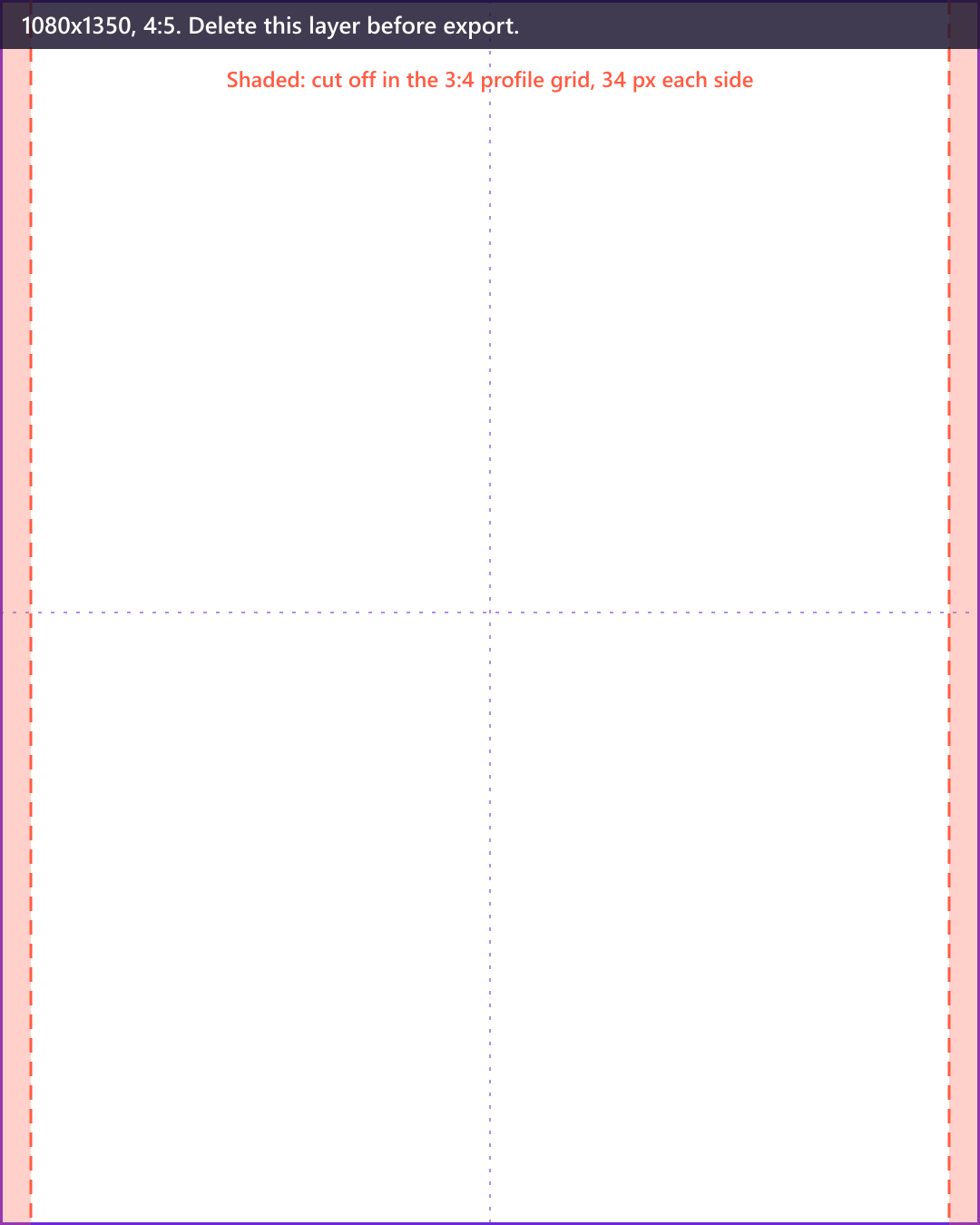
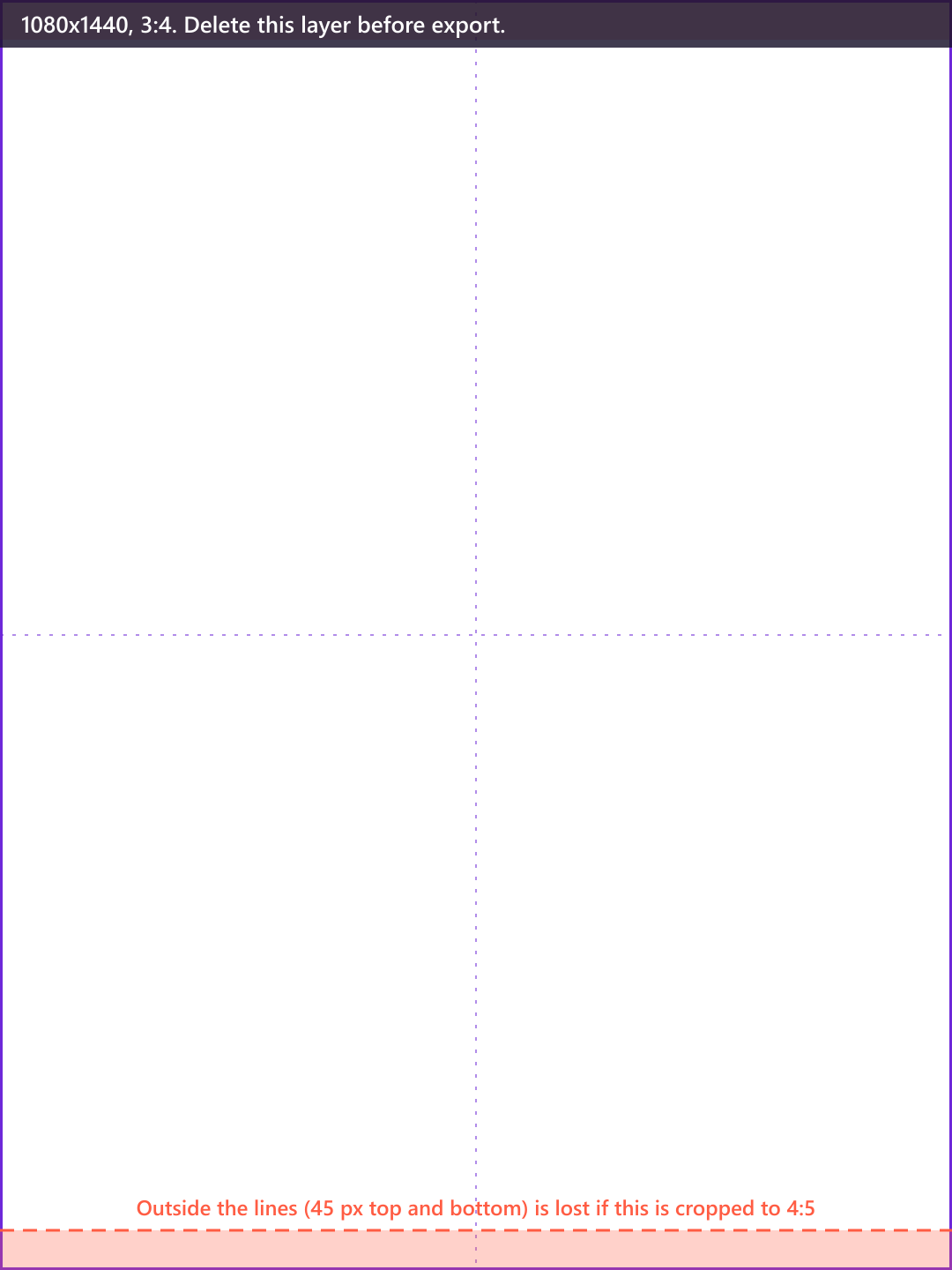
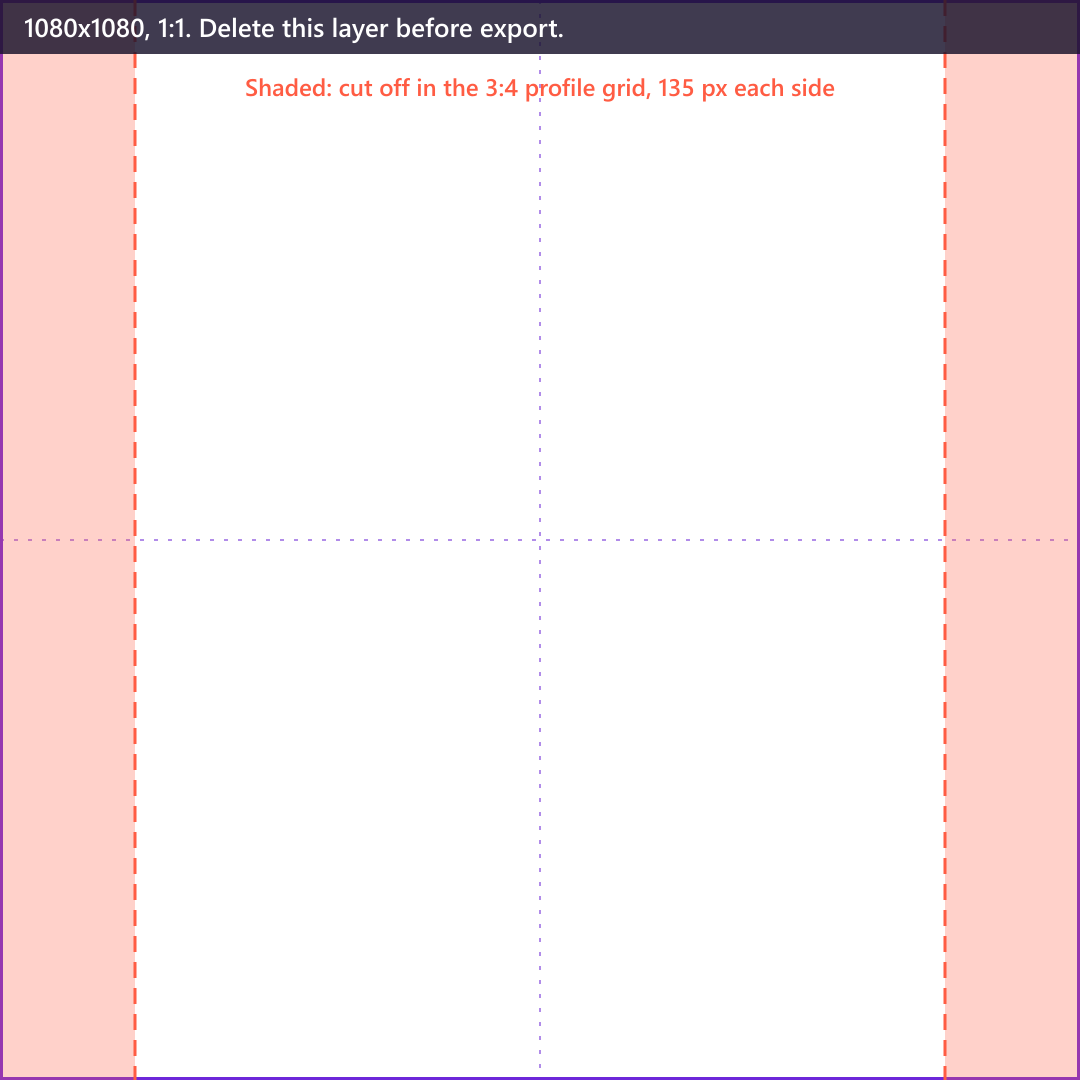
Make it once per client and store it with the logo files. The guides below are transparent PNGs, so they sit on top of any design.
| App | New file | Add the guide | Export |
|---|---|---|---|
| Canva | Create a design, Custom size, 1080 x 1350 px | Upload the PNG, stretch it to the page, lock it | Delete the guide, then download as JPG |
| Photoshop | 1080 x 1350 px, RGB, sRGB profile | File, Place Embedded, on the top layer | Hide the layer, Export As JPG, convert to sRGB |
| Figma | Press F, then type 1080 and 1350 | Place the PNG in the frame and lock it | Hide it, export the frame at 1x as JPG |
Free guides and size card
Transparent overlays with the grid cut marked, plus a one-page card for the wall. No email form.
- 1080x1350px guide4:5, transparent PNGPNG
- 1080x1440 guide3:4, transparent PNGPNG
- 1080x1080 guide1:1, transparent PNGPNG
- Post size cardA 4:5 image you can sharePNG
- Post size and grid cardOne A4 page to printPDF
Keep templates with the fonts and logos in a shared brand asset library, so nobody starts from last year’s square.
Using the same 4:5 image elsewhere
A 4:5 file travels well, with two places to watch. The figures are from each network’s own ad pages, because that is where they publish exact numbers.
| Where | Does 4:5 fit? | What to know |
|---|---|---|
| Facebook feed ads | Yes | Recommended ratio. 1440 x 1800, at least 600 wide. To report on them, see our Meta ads reporting guide. |
| LinkedIn image ads | Yes | 4:5 is the recommended vertical ratio at 720 x 900, but vertical ads are shown on mobile only. |
| Works, not ideal | Pinterest recommends 2:3, or 1000 x 1500. Add height for Pins. | |
| Stories and Reels | No | They are 9:16. Make a 1080 x 1920 version rather than leaving bars. |
| Small only | 3.6 x 4.5 inches at 300 DPI, or 7.2 x 9 inches at 150 DPI. Enlarge from the original, not from the post. |
One file for the whole team
Most size problems in an agency are not about pixels. The designer works in one shape, the client approves another and the tool crops a third. Agree one master and the argument stops.
Design one master that survives three crops
Build at 1080 x 1350 and keep the headline, price and logo inside a center box of 1012 x 1080. Whatever is in that box survives the profile grid and a square export. The edges are for background.
- For approval, send the finished crop, not the artboard. In our approval workflow the client opens a link and sees the post. A wrong crop is an easy reason for an extra round, and approval time is already long enough.
- For the calendar, attach the 4:5 file to the scheduled post and keep the square beside it in the media library.
- For the archive, name files client, date, size. “saltmarsh-0312-1080x1350.jpg” needs no explaining.
If several people touch each post, write the size into your agency workflow and give one person the last look. Teams with many accounts can do the same in their setup for managing multiple clients, and design sign-off fits a creative approval step.
1080x1350 questions
Not sure about your own image? Check it before it goes to the client.
Preview an imageQuestion not here? Ask us.
Is 1080x1350 an aspect ratio?
1080x1350 is a size in pixels. Its aspect ratio is 4:5, which you get by dividing both numbers by 270. Any size with the same shape, such as 720 x 900 or 1440 x 1800, is also 4:5.
Is 1080x1350 the same as 4x5?
It is the same shape. 4x5 describes the proportion and 1080x1350 is one set of pixels in that proportion. If your editor offers a 4:5 crop, that is the right one.
What size are Instagram posts now?
Photos can be 1080 pixels wide and anywhere from 566 to 1440 pixels tall, according to Instagram Help. The usual choices are 1080 x 1350 (4:5), 1080 x 1440 (3:4) and 1080 x 1080 (1:1).
Can you post 1080x1440 on Instagram?
Yes, from the app. Instagram has supported 3:4 photos since May 2025. Scheduling tools differ, because Meta’s developer documentation still lists 4:5 as the tallest image.
Is 4:5 or 3:4 better for Instagram?
Use 4:5 when the post is scheduled, boosted or shared with a team, because it is accepted everywhere. If you are choosing a tool, our list of scheduling tools is a place to start. Use 3:4 when you post by hand and want the whole image in the grid. The difference in height is 90 pixels.
Is 4:5 or 9:16 better for Instagram?
They are for different places. 4:5 is for feed posts. 9:16, or 1080 x 1920, is for Stories and Reels. A 9:16 picture posted to the feed as a photo has to be cropped, and a Story has its own safe margins.
Is the Instagram grid 4:5 or 3:4?
3:4. The profile grid moved from squares to taller tiles in January 2025. A 4:5 post loses about 34 pixels from its left and right there.
How do I resize a photo to 1080x1350 pixels?
Open it in the preview above, move it until the crop looks right and download the JPG. Nothing is uploaded. In an editor, crop to 4:5 first and then set the width to 1080.
How do I preview an Instagram post before posting?
Use the Instagram post preview on this page to see the crop and the grid tile. For the caption and the rest of the layout, save the post as a draft or look at it in your scheduling tool before it goes out.
What does 1350x1080 mean?
1350x1080 has the numbers the other way round: 1350 wide and 1080 tall, which is a 5:4 landscape. Instagram accepts it and shows it 1080 wide and 864 tall. For a tall post you want 1080 x 1350.
Should I upload more than 1080 pixels wide?
You can, but Instagram sizes wider photos down to 1080. Work from a larger original, then export at 1080 wide so you see the same picture your followers will. Keep the original in your asset library for ads and print.
What is 1080x1350 in inches?
It depends on the print resolution. At 300 DPI it is 3.6 x 4.5 inches, and at 150 DPI it is 7.2 x 9 inches. On a screen, inches do not apply.
The right crop, approved and scheduled
Keep every client’s calendar, approvals, files and replies in one workspace, so the approved file is the one your team picks up to schedule.
30 days free, no credit card.