Instagram vs Facebook Analytics What Agencies Must Know
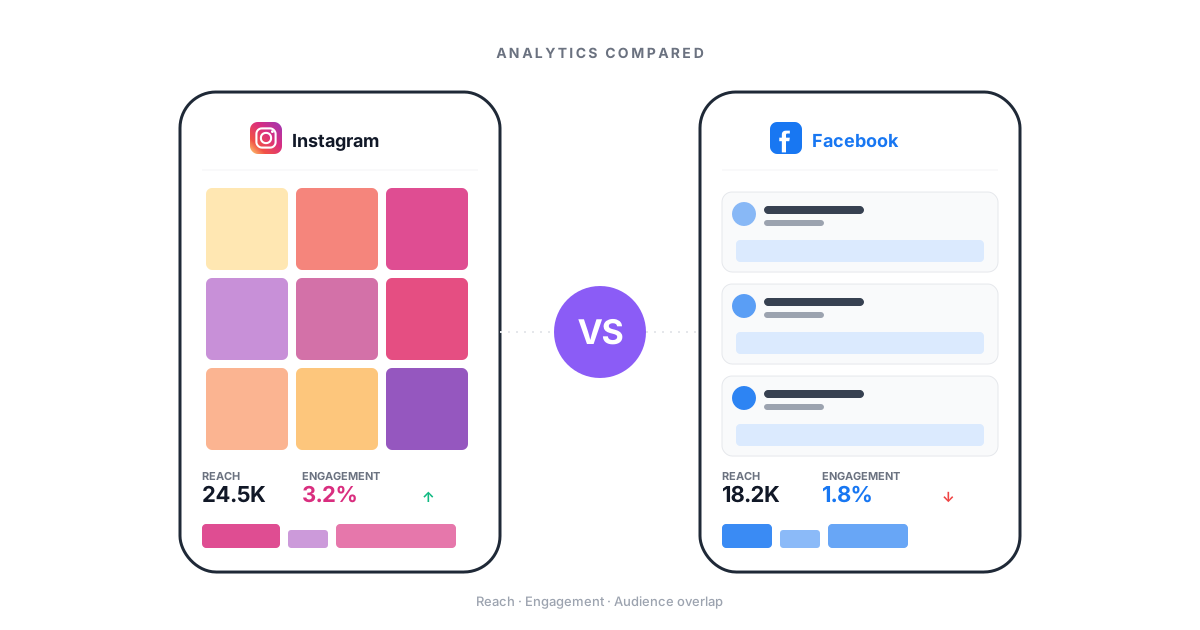
Instagram and Facebook share a parent company. But their data tells very different stories. Agencies on Meta's two apps must know what each metric means. They also need to merge data into reports that drive action, not confusion.

Why Cross-Platform Data Confuses Agencies
The real issues of reporting across Instagram and Facebook
Same Names, Different Meanings
01Reach on Instagram and reach on Facebook are counted in different ways. Impressions also act differently across feeds, Stories, and Reels. Agencies that treat these as the same numbers mislead clients and make bad calls.
Fragmented Reporting Eats Hours
02Pulling data from Instagram Insights, then Facebook Page Insights, then Meta Business Suite, then exporting to sheets. Agencies spend 3-5 hours per client on reports that should take minutes. That time eats right into margins.
Clients Expect Unified Answers
03Clients do not care which app a number came from. They ask 'how is social doing?' and want one clear answer. Two separate reports cause confusion and wear down trust in your agency.
App-Specific Metrics Get Skipped
04Instagram Save rate and Facebook Click-through rate are among the most useful numbers on each app. Yet most agency reports skip them. Generic cross-channel reports miss the insights that matter for lifting results.
Instagram vs Facebook: Metrics That Matter
What to track on each app and why it counts for client reports
Instagram: Reels Numbers
Reels are Instagram's top reach driver now. Track Plays (total views with replays), Accounts Reached (unique viewers), and Shares (strongest viral signal). Also track Average Watch Time. Reels that hold eyes past 3 seconds get big boosts well beyond static post reach.
- Plays vs. Accounts Reached
- Share-to-view ratio
- Average watch time
- Reach boost from the feed
Instagram: Story and Save Data
Story Exits and Replies show content quality better than views alone. A high exit rate on slide 3 of 8 means the story lost steam. Save Rate is Instagram's most ignored metric. It signals lasting value and shapes how the feed ranks your posts.
- Story exit rate by slide
- Reply rate for engagement
- Save rate as quality signal
- Shopping tap-through rate
Facebook: Page and Post Reach
Facebook splits Page Reach (people who saw any page content) from Post Reach (people who saw one post). Organic reach on Facebook is far lower than most clients expect, typically in the low single digits as a share of followers, well below Instagram. Knowing this gap stops unreal client hopes.
- Page reach vs. post reach
- Organic vs. paid split
- Reach rate benchmarks
- Viral reach tracking
Facebook: Click and Sales Tracking
Facebook shines at click and sales data. Link CTR, Outbound Clicks, and Landing Page Views tell a funnel story Instagram rarely matches. For clients focused on site traffic and leads, Facebook gives clearer paths.
- Link CTR numbers
- Outbound clicks vs. all clicks
- Landing page view tracking
- Cost-per-result breakdown
Facebook: Video and Groups Data
Facebook video metrics include 3-Second Views, ThruPlays (15+ seconds), and Average Watch Time. Each tells a different tale about how well content works. Groups data shows community health through Active Members, Posts per Day, and Comment Threads.
- 3-second vs. ThruPlay views
- Video watch curves
- Groups activity numbers
- Community health signs
Shared Metrics: How They Differ
On Instagram, engagement counts likes, comments, shares, and saves. On Facebook it counts reactions, comments, shares, and clicks. The 'click' part inflates Facebook numbers. Impressions are counted in different ways too. Agencies must fix these gaps before comparing the two apps.
- How each app counts actions
- Impression math gaps
- Follower growth context
- Audience data mismatch
Cross-Platform Report Framework
How to merge Instagram and Facebook data into reports clients trust
Set App-Specific KPIs
Pick different success metrics for each app based on its strengths. Instagram KPIs should stress reach, saves, and engagement. Facebook KPIs should stress clicks, sales, and community growth. Using the same benchmarks for both ensures one always looks like it fails.
Level the Data for Fair Compare
Before you compare channels, level the data. Use action rate per reach (not per followers) for both. Turn impressions into unique reach where you can. Find cost-per-result on the same basis. This stops bad comparisons that lead to wrong calls.
Build One Clear Story
Shape client reports around business goals, not apps. Lead with 'Social drove 2,400 site visits this month.' Then break down Instagram's role (brand reach, top of funnel) vs. Facebook's role (traffic, sales). The app is the detail. The outcome is the headline.
Pull Cross-Platform Insights
The real value comes from insights that span both apps. Which content themes work on each one? Where does the audience overlap? Is Instagram building buzz that Facebook turns into sales? These combined insights prove the need for both channels. They show the smart thinking clients pay top rates for.
Cross-Platform Data in Practice
Illustrative scenarios showing how app-specific insights drive results
E-commerce Agency: Clear Channel Roles
Agency running Instagram and Facebook for a fashion brand, unclear on each channel's valueReports mixed metrics from both apps. The client was upset that 'social' was not driving sales. The agency could not explain which channel earned more budget. Generic reports showed vanity numbers with no business impact.
Split data by channel role. Instagram tracked for reach: Reels views, Save rate, Profile visits. Facebook tracked for sales: Link CTR, Landing page views, Purchases. Each app measured by its true strength.
Restaurant Group: Content Plan Tuning
Same content posted to each app, mixed resultsCross-posting the same content to Instagram and Facebook. Some posts did well on one app but flopped on the other. No data to explain why. The team wasted effort on content that did not fit the channel.
Looked at per-channel data on its own. Found that short video (Reels) drove 5x more reach on Instagram. Event posts and longer videos drove Facebook engagement. Built a unique content calendar for each app using the data.
B2B Agency: Report Overhaul
Client execs confused by two separate app reportsSending two reports each month, one per app. The client CMO stopped reading either. Quarterly talks became fights about which channel mattered more, not strategy sessions.
Built unified reports using CampaignSwift's cross-app dashboard. Led with business outcomes, then drilled into each app's role. Instagram framed as thought leader channel. Facebook framed as lead gen channel. One report, one story.
Instagram vs Facebook: Metric-by-Metric Comparison
The table below shows how key metrics differ between the two apps. Knowing these gaps is the base of correct cross-platform data and the reports your clients count on. The fundamentals are covered in our full guide to social media analytics.
| Metric | Key Difference | ||
|---|---|---|---|
| Reach | Unique accounts that saw content (Reels, Stories, Feed, Explore) | Unique users who saw content (Page Reach vs. Post Reach split) | Instagram merges all views; Facebook splits page and post reach |
| Impressions | Total times content was shown, with repeat views | Total times content was on-screen; dedup math differs | Facebook uses stricter view rules than Instagram |
| Engagement Rate | Likes + Comments + Shares + Saves divided by Reach or Followers | Reactions + Comments + Shares + Clicks divided by Reach or Followers | Facebook counts clicks while Instagram counts saves. Not a fair match |
| Video Views | Reels: Plays (any duration). Feed video: 3-second views | 3-Second Views and ThruPlays (15+ seconds or completion) | Reels count any play; Facebook needs a minimum watch time |
| Saves / Bookmarks | Key metric: users save posts for later. Strong feed signal | Save exists but is rarely tracked. Little feed impact | Saves are a core Instagram number; they barely matter on Facebook |
| Story Metrics | Views, Exits, Replies, Sticker Taps, Link Taps | Stories exist but data is thin; lower use and engagement | Stories are a key format on Instagram; they are minor on Facebook |
| Click Tracking | Profile Visits, Website Taps, Shop Clicks (limited link paths) | Link Clicks, Outbound Clicks, CTR, Landing Page Views (strong paths) | Facebook has much better click and sales tracking |
| Audience Data | Age, gender, location, active times (needs 100+ followers) | Age, gender, location, language, active times, plus Page Like interests | Facebook gives richer age, gender, and interest-based audience data |
| Shopping Metrics | Product Views, Product Page Clicks, Shop Tag Taps | Shop Views, Product Clicks, Checkout Starts (more sales data) | Both back shopping; Facebook gives deeper funnel data |
| Community Metrics | Follower Growth, Profile Visits, Mentions | Page Likes, Followers, Group Members, Active Users, Posts/Day | Facebook Groups give community data Instagram cannot match |
The Leveling Rule
Never compare raw action rates between the two apps. Instagram's average (1-3%) looks higher than Facebook's (0.5-1%). But that is mostly because Facebook counts clicks while Instagram counts saves. To make a fair match, strip out app-only actions. Compare only shared actions (reactions, comments, shares) against reach. This leveled view shows true content impact across channels.
What to Report to Clients: Per-App Must-Haves
Instagram Client Report Must-Haves
- Accounts Reached: unique audience size, not inflated views
- Save Rate: proves content has lasting value past the scroll
- Reels Data: plays, shares, average watch time
- Story Done Rate: share who watched all slides
- Profile Visits and Website Taps: intent signals
- Follower Growth Rate: audience growth speed
Facebook Client Report Must-Haves
- Post Reach and Reach Rate: organic views against shrinking norms
- Link Click-Through Rate: content driving site traffic
- Video ThruPlays: real attention, not autoplay noise
- Outbound Clicks: real exits to your client's site
- Cost per Result: if running ads, the number clients care about most
- Groups Engagement: community health and activity trends
Cross-Platform Insights That Prove Both Channels
The best data work happens when you merge numbers from each app to tell a story neither can tell alone. These cross-channel insights show smart thinking and prove the need for both:
- Content theme results: Which topics work on both apps vs. just one? A theme that clicks on both deserves more effort
- Audience overlap: How many Instagram followers also follow on Facebook? High overlap means you need unique content per app. Low overlap means you grow total reach
- Funnel role: Instagram drives buzz (reach, saves). Facebook drives action (clicks, sales). Map the buyer path across both
- Post time tuning: Active hours differ between apps even for the same brand. Cross-check to find the best times
- Format transfer: A Reel that goes viral on Instagram might work as a Facebook video too. But the reverse is less common. Use per-app wins to guide cross-posting
Unify Your Data With CampaignSwift
Stop flipping between Instagram Insights, Facebook Page data, and Meta Business Suite. As a unified social media analytics software platform, CampaignSwift pulls data from each app via social media data analytics, levels metrics on its own, and builds white-label client reports that show the full picture. Per-app breakdowns and cross-channel views in one screen, built for agencies with many clients. We cover the broader tool landscape in our roundup of the best social media analytics tools for agencies, and our piece on real social media analytics examples shows what good cross-platform reporting actually looks like.
Instagram vs Facebook Data: FAQs
Common questions about cross-platform data
No. Meta Business Suite shares one screen, but the numbers differ a lot. Instagram stresses visual actions (saves, shares, Reels plays, Story taps). Facebook stresses click actions (link clicks, CTR, outbound clicks, sales). The engagement math counts different things on each app. Treating them as the same leads to bad reports and poor choices.
It depends on client goals. Facebook has stronger sales tracking, click paths, and audience data, which is better for results-focused clients. Instagram gives richer content action data (saves, Story taps, Reels numbers), which is better for brand reach clients. Most agencies need both. That is why unified tools that level cross-channel data save so much time.
Frame each channel by its role, not raw numbers. Instagram is the reach engine (higher views, more visual actions). Facebook is the traffic and sales driver (more clicks, clearer paths). Tell one story: 'Instagram reached 50K people. Facebook turned that buzz into 800 site visits and 45 leads.'
Instagram: 1-3% is average, 3-6% is good, 6%+ is great (based on followers). Facebook: 0.5-1% is average, 1-3% is good, 3%+ is great. But these numbers are not the same type. Instagram counts saves. Facebook counts clicks. Always measure against your own past data and your niche, not broad averages.
Meta Business Suite works for quick checks but falls short for agency reports. It only keeps 90 days of history and has few export options. It does not level metrics for a true cross-channel look. If you're starting out, our roundup of free analytics tools covers the native options worth using. Agencies with many clients do better with focused tools like CampaignSwift. We pull data from each app, level the numbers, and build client-ready reports on their own.
Use UTM tags on both channels to track site actions in Google Analytics. Pick one conversion event (form fill, purchase, signup). Tie it back to the source app. Find cost-per-sale for each channel on its own. Then combine for total social ROI. This gives you both per-app and unified views.
Key Instagram metrics: Accounts Reached (not impressions), Engagement Rate, Save Rate (quality signal), Reels Plays and Watch Time, Profile Visits (interest sign), Website Taps, and Follower Growth Rate. Skip vanity metrics like total impressions unless the client asks. Focus on numbers tied to business goals.
Key Facebook metrics: Post Reach and Reach Rate, Link CTR, Outbound Clicks (not just post clicks), Video ThruPlays, Page Followers and Net Growth, Engagement Rate per Reach. If running ads: Cost per Result and ROAS. For clients with Groups, add Active Members and engagement trends. Focus on numbers tied to the client's own goals.
Still have questions?
Our team is here to help. Book a 15-minute call to get all your questions answered.
Ready to put the busywork on agents?
Start with one client. Connect accounts, send your first approval link, and let the agents take the follow-ups. Plans start at $29/mo.
30-day free trial · No credit card · Cancel anytime
Questions? Book a 15-min demo call
Schedule Demo