Agency Reporting Tools for Social Media Clients
Your clients don't want more data. They want proof that your work matters. This guide covers agency reporting tools and the workflow around them: what clients expect in a report, how to automate the assembly, and how social media reporting for agencies differs from reporting for a single in-house brand, where nobody has to justify a retainer every month.

Why Social Media Agency Reporting Is Broken
The gap between what agencies deliver and what clients need
Hours Lost to Manual Data Gathering
01Agency teams spend 5-8 hours per week logging into platforms, screenshotting dashboards, and copying numbers into spreadsheets. That's billable time burned on busywork instead of strategy. An agency-focused analytics platform comparison can help you fix that by picking the right tool from the start.
Clients Don't Understand the Reports
02Most reports are data dumps. Fifteen pages of metrics with no story. Clients see impressions and reach but have no idea if results are good or bad. They don't know what it means for their business. Confused clients become former clients.
No Consistent Reporting Standard
03Every account manager builds reports differently. Different formats, metrics, and levels of detail. This makes it hard to scale, train new team members, or keep quality consistent across clients.
Reports Don't Reflect Your Brand
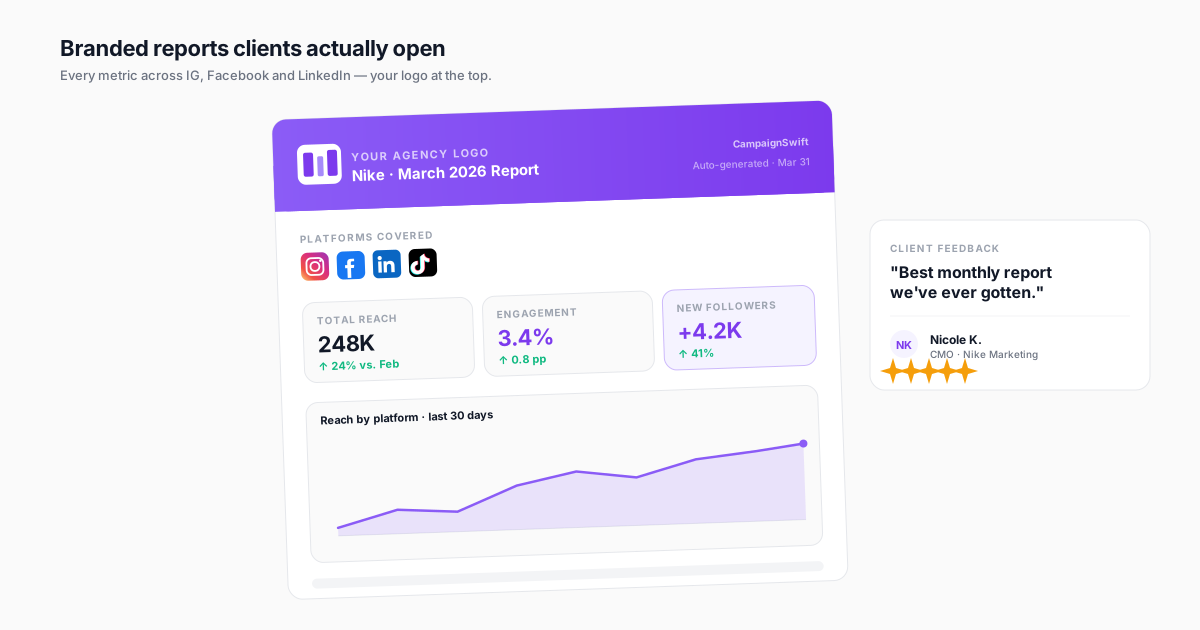
04Sending clients reports covered with your tool vendor's logo hurts your credibility. Generic templates make your agency look like every other shop. Without white-label reporting, you advertise someone else's platform in your deliverables.
What Great Client Reports Actually Include
Six pillars of reporting that retain clients and demonstrate value
Report Types That Clients Value
Different situations call for different reports. Weekly pulse checks keep clients informed without overwhelming them. Monthly reviews show strategic progress. Quarterly reviews align on goals and justify retainer spend. Campaign wrap-ups prove ROI on specific efforts.
- Weekly pulse reports
- Monthly performance reviews
- Quarterly strategy reports
- Campaign-specific analysis
Automated Report Generation
Stop building reports from scratch every cycle. Automated reporting pulls live data, fills your templates, and delivers finished reports on schedule. Your team reviews and adds comments instead of spending hours on data entry.
- Scheduled data pulls
- Template auto-population
- Email delivery on schedule
- One-click generation
White-Label Branding
Every report should look like it came from your agency, not your software vendor. White-label reporting lets you apply your logo, brand colors, and custom domain. Clients see a polished deliverable that reinforces your brand.
- Custom logo and colors
- Agency-branded templates
- Custom report URLs
- Branded PDF exports
Metrics That Matter to Clients
Clients care about business outcomes, not vanity metrics. Lead with engagement trends, follower growth, website traffic from social, and conversion data. Tie every number to a business goal the client recognizes.
- Engagement rate trends
- Conversion tracking
- Revenue attribution
- Goal progress indicators
Reporting Frequency Best Practices
Weekly reports work for active campaigns and high-spend clients who want close oversight. Monthly reports suit most retainer relationships and provide enough data for meaningful trends. Quarterly reviews are strategic checkpoints for goal realignment and budget discussions.
- Weekly for active campaigns
- Monthly for retainer clients
- Quarterly for strategy reviews
- Ad-hoc for campaign wraps
Client-Ready Presentation
The best data is worthless if it's presented poorly. Good reports lead with a summary, use charts over raw tables, and highlight wins clearly. They also address challenges honestly with solutions and close with clear next steps.
- Executive summary first
- Visual data presentation
- Wins highlighted clearly
- Actionable next steps
How to Build a Scalable Agency Reporting System
Four steps to reporting that retains clients and saves time
Define Client-Specific KPIs
During client onboarding, align with each client on 3-5 KPIs that map to their business goals. An e-commerce client cares about social-driven revenue. A brand awareness client cares about reach and share of voice. Never report on metrics the client didn't ask for without explaining why they matter.
Build Reusable Report Templates
Create standardized templates for each report type: weekly, monthly, quarterly, and campaign. Include consistent sections (executive summary, KPIs, platform breakdown, insights, recommendations) so every client gets the same quality regardless of which team member builds the report.
Automate Data Collection and Population
Connect all client social accounts and ad platforms to a single reporting tool. Set up automated data pulls that populate your templates on schedule. Your team's job shifts from gathering data to analyzing it and adding strategic commentary.
Review, Narrate, and Deliver
Automation handles the data; your team adds the value. Review the populated report, write the executive summary, add context to the numbers, and include specific recommendations. Deliver on a consistent schedule through the client portal so clients know exactly when to expect updates.
Agency Reporting Software in Practice
Illustrative scenarios: how agencies fix their report delivery process
Multi-Client Agency Scales Reporting
Agency managing 35 clients with manual reporting across platformsTwo junior team members spent 3 days every month building reports in PowerPoint. Each report took 2-3 hours. Inconsistent formats across clients. Reports were always late, and clients complained about lack of insights.
Implemented templated, automated reporting through CampaignSwift. Reports auto-populate with live data. Team now spends 20 minutes per report adding commentary and insights instead of 2-3 hours on data entry.
Boutique Agency Wins Enterprise Client
Small agency pitching large brand that required white-label reportingLost two enterprise pitches because reports showed third-party tool branding. Clients questioned whether the agency had real capabilities or just resold generic software. No way to customize report appearance.
Switched to CampaignSwift's white-label reports with agency branding, custom colors, and branded PDF exports. Enterprise prospect saw polished, professional deliverables that looked entirely in-house.
Agency Reduces Client Churn
Agency losing clients who felt uninformed about performanceMonthly reports were data dumps with 20+ pages of metrics. Clients didn't read them. Exit surveys showed 'lack of communication' and 'unclear ROI' as top reasons for leaving. 60% annual client retention rate.
Redesigned reports into a 2-page summary with KPI scorecards, trend charts, and top content highlights, working from real report examples rather than a blank template. Added 3 specific tips per report. Weekly pulse reports fill the gap between monthly reviews.
What to Include in Your Client Report
The difference between agencies that retain clients for years and those stuck in a churn cycle often comes down to reporting. Below is a section-by-section checklist for building reports that demonstrate value, build trust, and keep clients engaged.
| Report Section | What to Include | Why It Matters | Frequency |
|---|---|---|---|
| Executive Summary | 3-4 sentences: top wins, key challenges, strategic recommendation | Executives read this and nothing else | Every report |
| KPI Scorecard | 3-5 KPIs with current value, target, trend arrow, and month-over-month change | Shows progress toward agreed goals at a glance | Weekly + Monthly |
| Platform Performance | Engagement rate, reach, impressions, follower growth per platform | Identifies which channels are working and which need adjustment | Monthly |
| Top-Performing Content | 5-10 best posts with visuals, metrics, and analysis of why they worked | Proves content strategy is effective and informs future direction | Monthly |
| Conversion Metrics | Website clicks, leads generated, conversion rate, revenue attributed to social | Connects social activity to business outcomes clients care about | Monthly + Quarterly |
| Audience Insights | Demographics, growth trends, peak engagement times, audience sentiment | Shows deepening understanding of the client's audience | Quarterly |
| Competitive Context | Share of voice, competitor engagement benchmarks, content strategy comparison | Puts results in market context and justifies strategic decisions | Quarterly |
| Recommendations | 3-5 specific, actionable next steps based on the data | Demonstrates strategic thinking and proactive account management | Every report |
What Clients Want vs. What Agencies Typically Deliver
Research consistently shows a disconnect between what agencies deliver and what clients expect. Clients want answers to three questions: "Is my investment working?", "What are you doing about it?", and "What should we do next?" Most reports answer none of these directly. They deliver raw metrics and assume clients will draw their own conclusions.
The fix is simple: lead every report with a narrative. Start with the story, then support it with data. Not the other way around. Your reporting workflow should be built around insight delivery, not data collection.
Report Format Checklist
- ✓ White-labeled with your agency logo, colors, and branding throughout
- ✓ Executive summary on the first page, no scrolling required
- ✓ Visual-first: charts and graphs over raw data tables
- ✓ Trend indicators: arrows showing direction, not just static numbers
- ✓ Goal progress: how current performance tracks against agreed targets
- ✓ Content samples: actual post screenshots, not just metrics
- ✓ Plain language: no jargon unless the client is technical
- ✓ Actionable close: end with specific recommendations and next steps
Automating Your Reporting Workflow
Manual reporting doesn't scale. An agency managing 20 clients spending 2 hours per report burns 40 hours every month on data compilation alone. That's an entire employee's week spent copying numbers between tools. Automation reclaims that time and eliminates human error in data transcription.
CampaignSwift's report builder connects directly to every major social platform via agency reporting automation, pulls live data into your branded templates with full white-label customization, and generates client-ready reports on schedule. Your team adds the strategic commentary and insights that justify your retainer, the part that actually requires human expertise. We unpack the broader landscape in our roundup of the best social media analytics tools for agencies and our piece on how agencies improve client retention through better reporting.
Automated Reporting for Social Media Agencies
Automation is the single biggest difference between reporting that scales and reporting that quietly eats a week every month. The best automated reporting for social media agencies removes four manual steps: pulling the data, assembling the layout, applying client branding, and sending the file. Remove all four and a twenty-client month stops being a project.
How to Choose a Social Media Reporting Tool for Agencies
Judge any social media reporting tool for agencies on whether reports generate and deliver without a human trigger. Scheduled generation on the first of the month, automated PDF exports for clients, and delivery straight to the client's inbox are the three checks that separate genuine automation from a faster export button. A tool that still needs someone to click "generate" for each client has automated the formatting, not the job. CampaignSwift pulls live data from all 7 connected networks into agency reporting automation on a schedule you set per client.
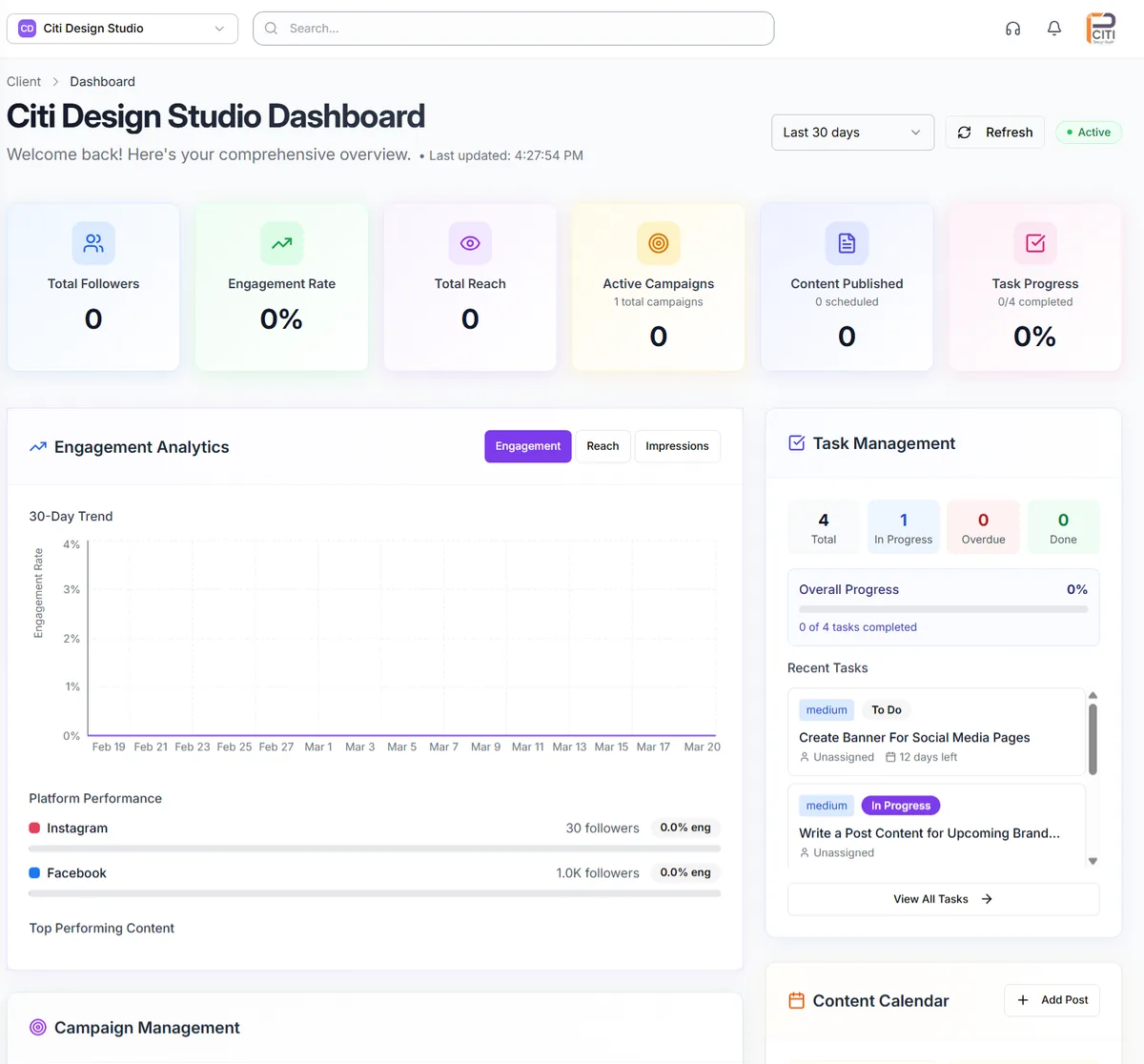
Branding is the other half. Client-facing output should carry your agency's identity rather than your vendor's, which is the whole argument for white label social media reports. That page covers the branding controls in depth; what matters here is that branding should be a template setting applied once, not a manual step repeated per report.
Client Reporting Software for Digital Agencies
Search for the best client reporting software for digital agencies and you will get two very different categories mixed together. One is social-native: it reports on the channels it publishes to, which is most of what a social agency needs. The other is a general BI layer that ingests any data source and renders dashboards, which is what you need if your reporting spans paid media, web analytics and CRM alongside social.
That split is why comparing agency reporting tools against BI platforms rarely resolves anything: they are answering different questions. For most social-first agencies, the social-native option wins because the data is already in the tool that scheduled the post. The best client reporting software for agencies at that end is whatever already holds your calendar, since the reporting is then a by-product of work you have done rather than a separate integration project. On that logic, the best software for agency client reporting is rarely the one with the longest feature list. Reach for the best BI reporting tools for social media analytics only when you genuinely need to blend sources; the setup cost is real and most agencies overestimate how much cross-source blending clients actually read. If you are shopping specifically for the best client reporting software for digital marketing agencies, weigh how many clients you can add before pricing changes shape, not the length of the connector list.
A free social media reporting tool is a reasonable starting point at two or three clients. The ceiling arrives quickly: free tiers cap connected profiles, rarely allow branding, and almost never schedule delivery, which means the automation you actually wanted is the first thing paywalled. Our free analytics tools cover what is genuinely usable at no cost.
What to Look for in Agency Reporting Tools
The category is muddled because "reporting tool" describes three different products. Some are dashboards that visualise data you already have. Some are connectors that move data into a spreadsheet or BI layer. Some are social platforms that report on the channels they publish to. Agency reporting tools in the useful sense are the third kind plus enough of the first to hand a client something finished, and comparing across the three categories is how agencies end up buying something that technically works and practically doesn't.
Five criteria decide it, and only one of them is about charts. First, whether the client is a first-class object: if reports are scoped per client automatically, everything downstream inherits that boundary. If clients are just a filter you apply, you will rebuild the boundary by hand every month. Second, delivery. Agency reporting software that generates a report but still needs someone to download and email it has automated the easy half. Third, retention: how far back the data goes, because a year-on-year comparison is impossible if the tool only keeps ninety days.
Fourth, branding, which is the one clients actually notice. Fifth, and most often overlooked, what happens when a platform changes its API. Reporting breaks quietly. A metric stops populating, the chart still renders, and nobody notices until a client asks why engagement fell off a cliff in March. Tools that ship fixes in days rather than quarters are worth more than tools with more chart types.
On monthly reporting for agencies specifically, the cadence is worth deciding deliberately rather than inheriting. Monthly suits retainers and gives enough data to show trend. Weekly works for paid-heavy accounts where spend decisions cannot wait. What does not work is monthly reporting assembled manually, because the effort scales linearly with the client roster and the deadline always lands in the same week for everyone. Automating the assembly is what makes the cadence a choice instead of a constraint.
One honest caveat about our own position here: CampaignSwift generates scheduled, branded, client-scoped reports, but a fully custom report builder is still in progress. If your agency's differentiator is bespoke report layouts per client, verify that during a trial rather than taking a comparison table's word for it, ours included.
How Competitor Reporting Features Compare
Most shortlists come down to five platforms plus whatever you currently use. A quick, honest read on each:
- Sprinklr — a Sprinklr social media reporting tools features review usually concludes the same thing: extremely capable, priced and scoped for enterprise, and heavier than a mid-size agency can justify or configure.
- Talkwalker — Talkwalker social media analytics reporting features lead on listening and brand monitoring rather than client deliverables. Strong if you sell social listening as a service, oversized if you need a monthly retainer report.
- Agorapulse — an Agorapulse social media analytics reporting features review lands squarely in the middle: clean reports, good inbox, and per-profile pricing that grows faster than client count. See our Agorapulse alternative comparison.
- HubSpot — any honest HubSpot social media analytics and reporting features review says the same thing: convenient if you already run HubSpot for CRM, hard to justify on its own. Social reporting is a satellite of the marketing hub, not its focus.
- Metricool — capable and cheap, which is why "best alternative to Metricool for social media analytics and reporting" is a common search once an agency outgrows its per-brand structure rather than its feature set.
- Later — Later social media analytics reporting features are built around Instagram-first creator workflows. Fine for a single brand, thin once you need per-client separation.
Two adjacent categories get confused with this one. Social media listening and reporting tools answer "what is being said about the client", which is a different job from "what did our work produce". Social media scheduling and reporting tools bundle publishing with measurement, which is the combination most agencies actually want, because the reporting inherits the client structure the scheduler already has. If you are evaluating that bundle, our best social media scheduling tools comparison covers the publishing half, and a social media marketing reporting tool that sits on top of your own calendar will always need less reconciliation than one bolted on afterwards.
How to Export HubSpot Social Media Report Data
This comes up often enough to answer directly, because agencies inheriting a client's HubSpot instance usually need the history out before migrating. To export HubSpot social media report data: open Marketing, then Social, then the Analyze tab. Set your date range and the accounts you want, choose the report type (published posts, audience, or interactions), then use the export control in the top right. HubSpot emails the file rather than downloading it in-browser, so it lands in the inbox of whoever ran it, in CSV, XLS or XLSX.
Two things to know before you rely on it. The export carries the metrics HubSpot collected while the account was connected, so anything predating the connection will not appear, and reconnecting an account does not backfill. And the file is raw data, not a client deliverable, so it still needs assembling into something a client will read. If you are moving reporting into a dedicated tool, export first and keep the file: it is the only copy of that history you will get.
Build Better Client Reports with CampaignSwift
Stop burning hours on manual data assembly. CampaignSwift gives agencies automated, white-labeled reports that impress clients and hand your team back hours every week. Branded templates, scheduled delivery, multi-client dashboards, and real-time data, all at flat, predictable pricing.
Social Media Reporting for Agencies: FAQs
Common questions about client reports and delivery
Most retainer clients expect monthly reports as a minimum. High-spend clients or those running active campaigns benefit from weekly pulse reports (1 page, key metrics only). Quarterly reports work well for strategic reviews and goal-setting sessions. The key is setting expectations during onboarding and delivering consistently on that schedule.
Start with metrics tied to client goals. Core numbers for most clients: engagement rate, reach, impressions, follower growth, and website clicks. For performance-focused clients add: conversions, cost per result, ROAS, and revenue attribution. Always include month-over-month trends, not just raw figures. Avoid reporting 20+ data points. Focus on 5-8 that directly map to the client's business objectives.
Template-based reports use a standardized structure across all clients: same sections, same layout, different data. They're faster to produce and ensure consistency. Custom reports are built from scratch for specific client needs. Best practice: use templates as your foundation (80% standardized) and customize the remaining 20% for each client's unique KPIs and goals.
White-labeling means removing the software vendor's branding and replacing it with your agency's identity. This includes your logo, colors, custom fonts, agency URL on web-based reports, and branded PDF headers/footers. CampaignSwift offers full white-label reporting so every deliverable looks like a proprietary agency tool, not a third-party platform.
Most agency reporting tools handle the data pull but stop short of delivery, so start by checking which half you are actually automating. Connect all client accounts to a unified platform through agency reporting automation. Build report templates with dynamic data fields. Schedule automated data pulls (daily, weekly, or monthly). Set up email delivery so reports reach clients automatically. Your team then focuses on adding insights and commentary rather than compiling data by hand.
Client surveys consistently show they want: (1) proof their investment is working, (2) clear progress toward agreed goals, (3) what you're doing next, and (4) competitive context. They don't want raw data dumps, jargon-heavy explanations, or vanity metrics without business context. Lead with outcomes and recommendations, not platform-specific numbers.
Weekly pulse reports: 1 page maximum. Monthly reports: 3-5 pages including visuals. Quarterly strategic reviews: 8-12 pages with deeper analysis. Campaign wrap-ups: 2-4 pages focused on objectives vs. results. The trend is toward shorter, more visual reports. If your report is over 10 pages monthly, you're likely including data that nobody reads.
For a team under ten people, the best agency reporting tool is almost always the one that already holds your content calendar, because the reporting then draws on data the tool already has rather than requiring a separate integration. Dedicated BI platforms are more powerful and more work; they earn their place when reporting spans paid media, web and CRM alongside social. If your reporting is social-first, pick on scheduled delivery and client branding rather than connector count, and check how pricing behaves at double your current client load. See social media analytics for agencies for the product view.
Never hide poor performance. Clients will notice, and dishonesty erodes trust faster than bad numbers. Present underperformance honestly with context: what happened, why it happened, and what you're doing about it. Frame it as 'here's what we learned and how we're adjusting.' Proactive transparency with a clear action plan retains clients far better than spin or omission.
Still have questions?
Our team is here to help. Book a 15-minute call to get all your questions answered.
Ready to put the busywork on agents?
Start with one client. Connect accounts, send your first approval link, and let the agents take the follow-ups. Plans start at $29/mo.
30-day free trial · No credit card · Cancel anytime
Questions? Book a 15-min demo call
Schedule Demo