Ad Agency Project Management Software Approve, Launch and Report on Ads
CampaignSwift is ad agency project management software for the work around your campaigns. Creative moves through multi-step approval, Meta and Google Ads campaigns are built and tracked on the Agency plan, and clients get scheduled performance reports, all inside one workspace per client.
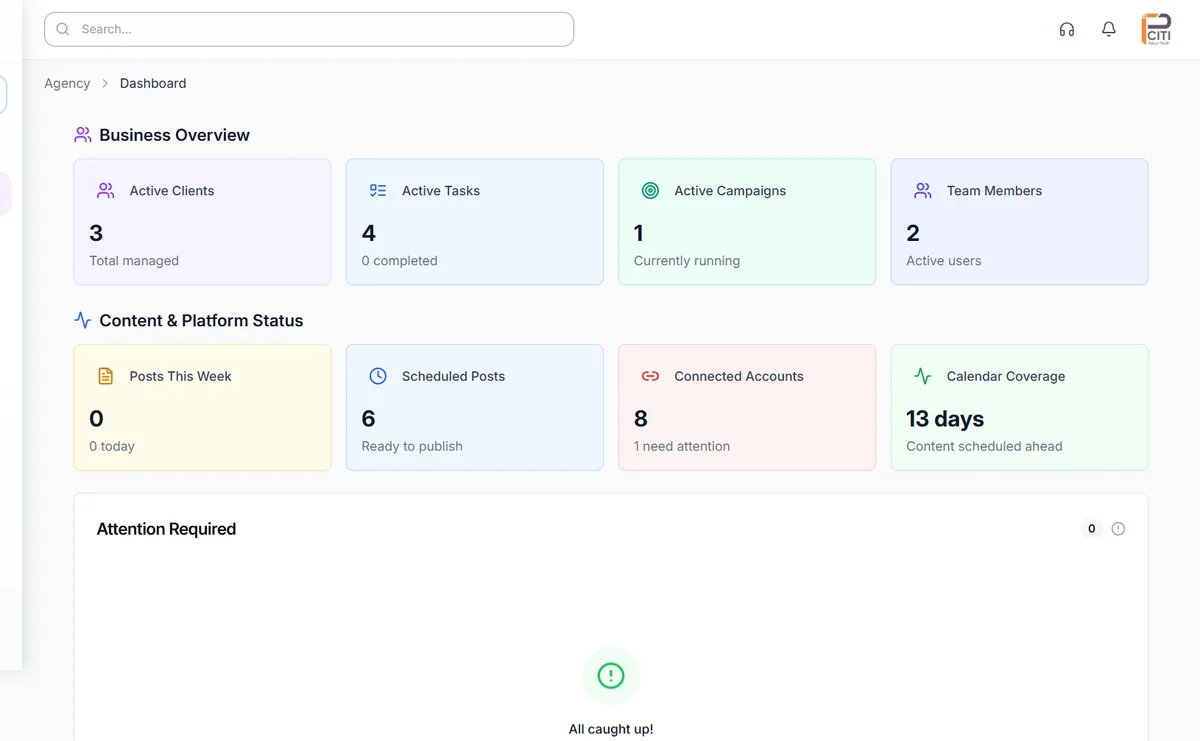
The agency dashboard: active clients, tasks and campaigns, and what needs attention, across every account.
Where ad agency management software falls short
The campaigns are fine. The work around them is what slips, and most advertising agency software only covers one side of it.
Approvals that ignore flight dates
01An ad has a launch window, and every day it waits on sign-off is media time lost. When creative moves through email, nobody can see that the legal review is the thing holding up Thursday's launch.
Creative versions everywhere
02One campaign means sizes for feed, stories and display, two rounds of copy and a revised hero image. Without one record of what was approved, the wrong version ends up in the ad set.
The plan lives apart from the ads
03Tasks sit in a project tool, the campaigns sit in two ad managers, and the account lead becomes the human bridge between them. Every change has to be made twice.
Reports built by hand
04Clients want to see spend and results without waiting for the end of the month. Pulling numbers out of Meta and Google into slides every week eats the time that should go into optimizing.
Ad agency project management software built for campaign workflows
Six things an ad agency needs every week, inside one workspace per client.
Meta and Google Ads campaigns
On the Agency plan, build and update Meta and Google Ads campaigns, ad sets and ad groups, ads and creatives (carousels included) without leaving CampaignSwift, with targeting by demographics, location, interests, custom audiences and keywords. See Meta ads management for the detail.
Multi-step creative approval
Set up approval workflows with as many steps as the work needs, each assigned to the right reviewer, such as a copy lead, brand or legal. The client signs off last through a link, with no account, using the approval workflow on the Professional plan and above.
Ad performance in one view
Spend, impressions, clicks, conversions, CTR, CPC and CPM sync in from both ad platforms, along with each campaign's budget, amount spent and amount remaining, so Meta and Google sit side by side for each client. AI insights calculate ROAS wherever revenue data is available.
Scheduled ad reports
A paid-ads report type makes CampaignSwift ad reporting software for every client, sent daily, weekly, monthly or quarterly by email. Agency reporting handles the schedule, and reports carry your branding on the Scale plan.
Creative production as tasks
Break each campaign into tasks and subtasks for copy, design and build, with owners, due dates and priority, in a list or on a board through task management. Files sit in each client's media library.
Workload and follow-up
Check the Team View in task management before you assign the next brief. It shows each teammate's load, worked out from their open and overdue tasks. Once creative is out for review, the Approval Shepherd agent follows up when sign-off stalls and escalates real decisions to the account lead.
What is ad agency project management software?
Ad agency project management software plans and tracks the work behind campaigns for many clients at once: creative production, approvals, launch dates, budgets and reporting. It differs from a general project tool in two ways. It has to respect flight dates, because a late approval costs media time rather than just a missed internal deadline. And it has to route creative through several reviewers, often including someone outside your agency, before anything runs.
Most ad agency software stops at the plan. Advertising agency project management software that also runs the ads removes the step between "approved" and "live", which is where versions drift and changes get made twice. That is the gap CampaignSwift is built to close for agencies whose paid work runs on Meta and Google.
Advertising management software, inside the workflow
Most project tools for agencies track that an ad exists. In CampaignSwift the campaign itself is part of the work. On the Agency plan you build Meta and Google campaigns, ad sets and ads, set the targeting, and keep each campaign's budget and progress next to the tasks that produced it. Approved creative goes into the ad without a separate trip to each ad manager.
For paid work beyond Meta and Google, CampaignSwift is not the tool, and we would rather say so up front. For the paid-media side in more depth, see our PPC campaign management software.
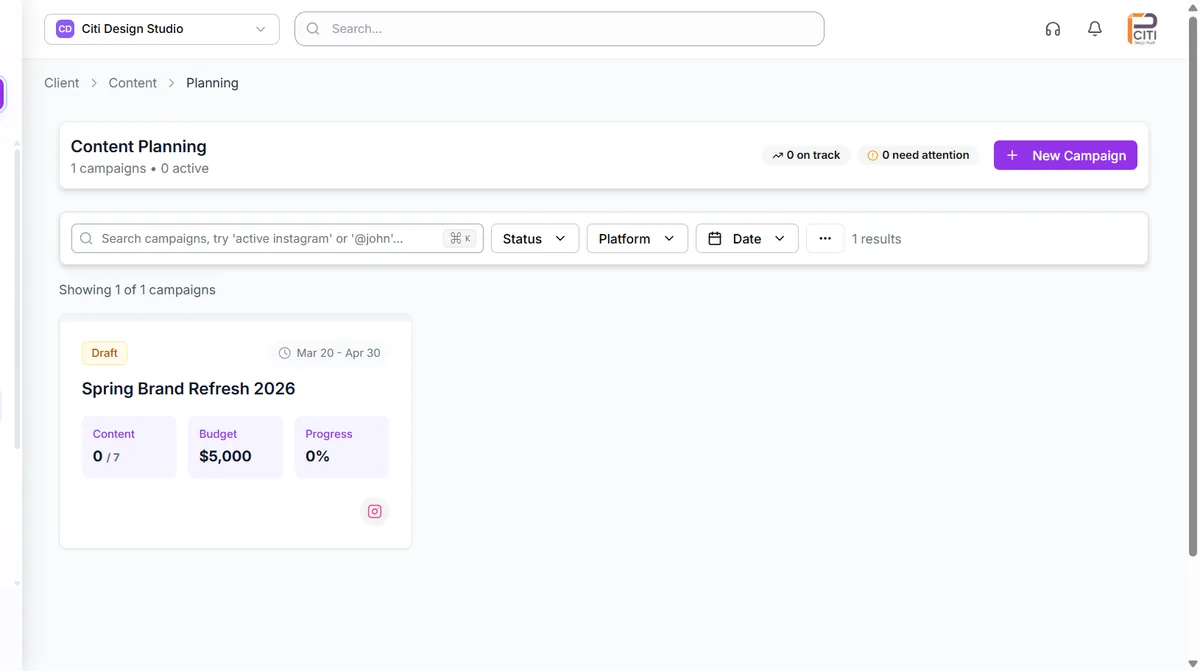
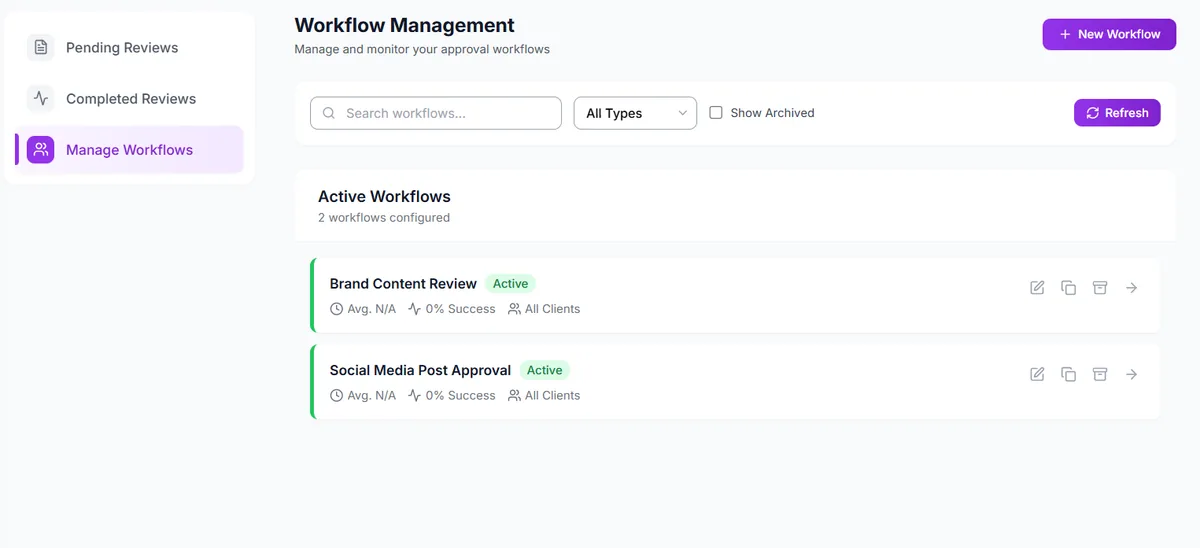
An approval path for every kind of work
Each workflow gets its own name, steps and reviewers, so a routine social post can take a short path while a regulated ad goes through brand and legal first. Workflows can be duplicated, edited and archived as your client list changes.
Every decision stays attached to the creative it was made on, so when a client asks why an ad says what it says, the answer is on record instead of buried in an inbox.
Getting your ad agency set up in four steps
Setup happens once per client. The workspace setup guide walks through each step.
Create client workspaces
Add a workspace for each client. The Onboarding agent proposes goals, KPIs and a setup checklist for every new client, which you review first.
Connect the ad accounts
On the Agency plan, connect each client's Meta Ads and Google Ads accounts alongside their social profiles.
Build your approval steps
Set up the review path for each type of work, with the reviewers each step needs and the client last.
Schedule the ad reports
Pick the paid-ads report for each client, set the schedule and recipients, and run the weekly cycle from there.
How ad agencies use CampaignSwift
Illustrative scenarios based on common agency setups, not customer case studies.
Performance agency
Creative approvals ran through email, launches slipped past their dates, and campaign changes were made by hand in Ads Manager after sign-off.
Creative clears a two-step internal review and then the client link, and the approved ad is built in CampaignSwift on the Agency plan.
Full-service ad agency
Results lived in two ad managers, so every client update meant exporting from both and merging in a spreadsheet.
Meta and Google metrics sit side by side for each client, and a paid-ads report goes out on a weekly schedule.
Boutique creative ad shop
Files were scattered across email and drives, and nobody could say for certain which version the client had approved.
Assets live in each client's media library, and every approval keeps its comments and revision history attached.
What to look for in project management software for advertising agencies
When you compare ad agency project management software, the demo will look tidy for every vendor. The useful test is a real launch week: three campaigns, two rounds of creative, a legal review and a client who wants results by Friday. Choosing software for an advertising agency comes down to five questions.
Does approval respect flight dates?
Sign-off should be a set of steps on the creative itself, with reviewers named and reminders running, so a stalled review is visible before the launch slips. Our guide to agency approval workflows covers how to design the steps.
Can it run the ads, or only track them?
A tool that only tracks campaigns leaves the build in the ad manager, so every approved change is made twice. Check whether the platform can create and update campaigns on the networks you actually buy. Our Meta Ads integration page shows what that looks like in practice.
Do the reports come from the ad platforms directly?
Client reports should pull spend and results straight from Meta and Google on a schedule. If someone exports CSVs every Monday, the reporting tool is the person, not the software.
Can clients sign off without logging in?
Clients approve faster when the review opens in a browser with nothing to remember. Guest seats add cost and permission work for no gain, which is why CampaignSwift uses review links instead.
What CampaignSwift is not
It is not a programmatic or multi-network media platform: ads run on Meta and Google only. It does not handle media billing or invoicing, and it is not a CRM. For the operations layer across every client, see our wider agency project management software.
Advertising agency management software: common questions
What ad agencies ask us before they switch.
Ready to put the busywork on agents?
Start with one client. Connect accounts, send your first approval link, and let the agents take the follow-ups. Plans start at $29/mo.
30-day free trial · No credit card · Cancel anytime
Questions? Book a 15-min demo call
Schedule Demo