Multi-Client Social Media Management Without the Chaos
Multi-client social media management is where most agencies break. Once you are running ten accounts across platforms, wrong-account posts, late deliverables, inconsistent brand voices and approval bottlenecks pile up fast. This guide covers how to manage multiple clients' social media accounts with systems that scale, rather than more headcount.

The Reality of Juggling 10+ Accounts
Where handling multiple clients falls apart
Wrong-Account Posting Disasters
01When you're juggling a dozen clients across multiple platforms, posting the wrong content to the wrong account is inevitable. One misfire can damage client trust instantly, and it happens more often than agencies admit. Disconnected tools and manual switching between accounts make this a ticking time bomb.
Approval Bottlenecks That Kill Momentum
02Every client has different approval workflows: some want to review everything, others only care about ads. Without a standardized system, content sits in email threads and Slack DMs for days. Deadlines slip, campaigns launch late, and your team burns hours chasing approvals instead of creating. AI social media approval workflows handle this routing and chasing automatically.
Inconsistent Tone Across Clients
03When one team member manages four different brands, tone consistency suffers. A casual style leaks into a corporate client's feed. Industry jargon from one account appears in another. Without style guidelines built into your workflow, every post is a risk.
Deadline Chaos and Missed Publishing Windows
04Ten clients means dozens of deadlines every week across different time zones, platforms, and content types. Spreadsheets and calendar apps buckle under the weight, which is why agencies eventually move to content calendar software that treats each client as its own track. When one deadline slips, it creates a domino effect that throws off your entire week, and damages client confidence.
6 Systems for Running Multiple Accounts at Scale
Proven workflows that top agencies use to handle 10+ clients
Standardized Client Onboarding
Every new client should go through the same structured onboarding process. Collect style guidelines, tone documents, approval chains, posting schedules, and KPIs before creating a single post. A standardized intake eliminates guesswork and sets expectations from day one.
- Brand guideline templates
- Approval chain mapping
- KPI alignment
- Consistent quality from day one
Unified Content Calendar System
Replace per-client spreadsheets with a single content calendar that shows every client, every platform, and every deadline in one view. Color-code by client, filter by platform, and identify gaps or conflicts instantly. Your team should never have to ask 'what's due today?' again.
- Single source of truth
- Cross-client visibility
- Conflict detection
- Team-wide transparency
Tiered Approval Workflows
Not all content needs the same review process. Build tiered workflows: routine posts get internal review only, campaign content goes through client review, and paid ads require full sign-off. Matching approval rigor to content risk keeps content flowing without sacrificing quality control.
- Faster turnaround times
- Reduced approval fatigue
- Client-appropriate review
- Built-in quality gates
Client-Specific Workspace Isolation
Each client needs a dedicated workspace with their assets, brand guidelines, templates, and history. Workspace isolation prevents cross-contamination between accounts and gives team members instant context when switching between clients. No more hunting through shared folders.
- Zero cross-posting risk
- Instant brand context
- Organized asset libraries
- Clean client separation
Unified Analytics Dashboard
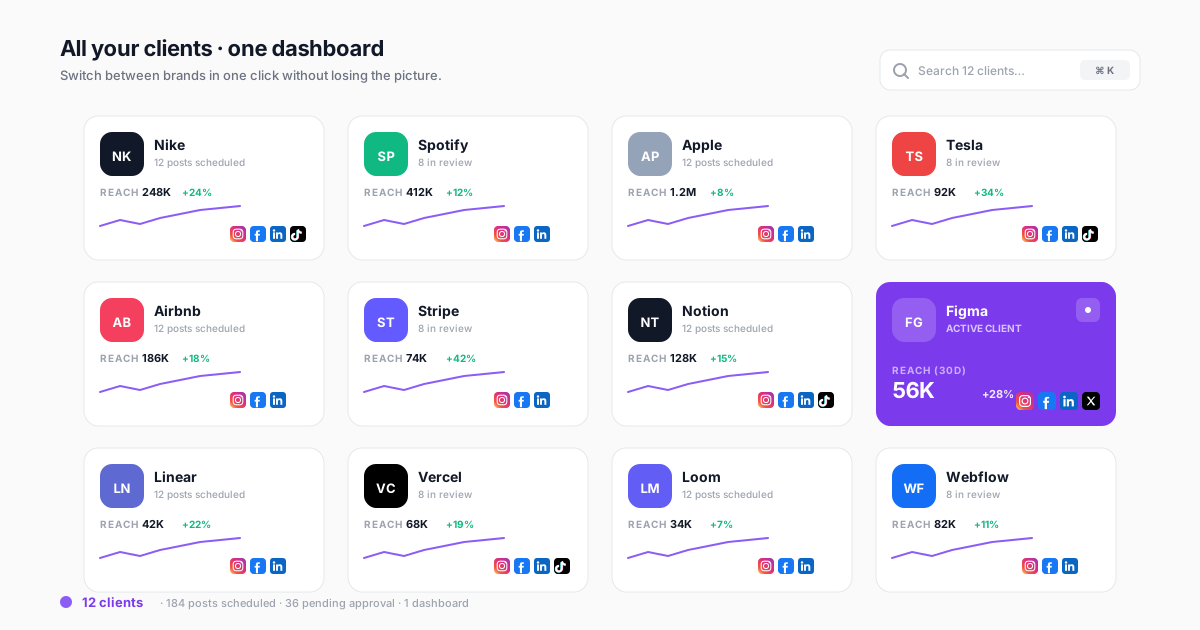
Build a master dashboard that shows performance across all clients at a glance, then drill down into individual client views. Spot underperforming accounts before clients notice, compare results across your portfolio, and generate white-label reports without manual data gathering.
- Portfolio-wide visibility
- Early issue detection
- Automated reporting
- White-label client views
Scalable Team Assignment Model
Assign team members to client pods rather than individual accounts. Each pod owns 3-5 clients with a lead strategist, content creator, and community manager. This model scales predictably: adding clients means adding pods, not overwhelming individuals.
- Predictable capacity planning
- Built-in coverage
- Specialized expertise
- Sustainable workloads
How to Manage Multiple Social Media Clients: Building the System
Four steps from chaos to clarity
Audit Your Current Workflow
Map every step of your current process: how content gets created, reviewed, approved, scheduled, and reported on. Identify where handoffs break down, where clients wait too long, and where your team wastes time on manual tasks. You can't fix what you haven't documented.
Standardize and Template Everything
Create templates for onboarding checklists, content briefs, approval requests, performance reports, and client communication. Standardization removes friction, not creativity. Templates free your team to focus on strategy instead of process.
Centralize in a Unified Platform
Consolidate your tools into a single platform. One of the best social media scheduling tools for agencies handles scheduling, approvals, asset management, and reporting across all clients. Every tool switch costs context and creates room for error. One platform for all clients eliminates the tool-switching tax that quietly eats hours of focused time every week.
Automate Reporting and Monitoring
Set up automated performance reports, deadline reminders, and anomaly alerts. Your team should be notified when something needs attention, not spend time manually checking every account. Automation is the difference between managing 10 clients and managing 50.
How Agencies Tamed the Chaos
Illustrative scenarios based on patterns we see across agencies running accounts in parallel
Growing Agency: 8 to 25 Clients
Boutique agency scaling beyond founder capacityAgency owner personally managed 8 clients using Hootsuite, Google Sheets, and email. Hit a ceiling at 10 clients: quality dropped, deadlines slipped, and two clients left citing inconsistent communication. Hiring didn't help because new team members had no system to follow.
Implemented standardized onboarding, unified content calendars, and tiered approval workflows in CampaignSwift. New team members became productive in days instead of weeks. Scaled from 8 to 25 clients in 6 months with the same core team.
Mid-Size Agency: Cross-Client Consistency
15-person agency struggling with tone and style consistencyFour content creators managing 18 clients between them. Regular tone mix-ups: a healthcare client received casual Gen-Z copy, a DTC brand got corporate language. Client complaints were increasing. Manual QA couldn't keep up with volume.
Built client-specific workspaces with embedded style guidelines, tone examples, and approved vocabulary lists. Added review workflows that flagged off-brand content before it reached clients. Created client pod structure with dedicated ownership.
Large Agency: Approval Workflow Overhaul
30-person agency drowning in approval bottlenecksContent approval took an average of 4.5 days across 35 clients. Approvals lived in email threads, Slack messages, and occasionally text messages. 30% of content missed its publishing window. Team spent 15+ hours per week chasing client sign-offs.
Implemented tiered approval system: routine content auto-published after internal review, campaign content went through structured client portal with 48-hour SLAs, and only paid media required full executive sign-off. Clients could review and approve from their phones.
Checklist for Managing Multiple Client Social Media Accounts
Use this checklist to audit how you run accounts in parallel. If you're missing more than three items, your systems are likely costing you clients and burning out your team.
Client Onboarding Essentials
- ☑ Style and tone document with vocabulary and examples collected
- ☑ Visual asset library organized with logos, colors, and templates
- ☑ Approval chain mapped (who approves what, and response time SLAs)
- ☑ Content calendar initialized with posting frequency and platform mix
- ☑ KPIs defined and baseline metrics established
- ☑ Client portal access configured for review and feedback
Ongoing Operations Essentials
- ☑ Unified content calendar visible to entire team across all clients
- ☑ Workspace isolation preventing cross-account content leaks
- ☑ Tiered approval workflows matched to content risk level
- ☑ Automated deadline reminders and publishing alerts
- ☑ Weekly cross-client performance review cadence
- ☑ Standardized monthly reporting delivered on schedule
Workflow Comparison: Fragmented vs. Unified
The table below shows the difference between a fragmented approach (common at agencies using 5+ disconnected tools) and a unified workflow built on a single platform. The publishing side of that unified workflow is usually where teams first feel relief, moving from one scheduler per client to multi-client social media scheduling in one calendar. The reporting side is where the difference compounds: the analytics foundation for multi-client agencies determines whether you get one dashboard across every client or five tabs you stitch together by hand.
| Workflow Step | Fragmented Approach | Unified Platform Approach |
|---|---|---|
| Content Creation | Google Docs per client, assets scattered across Dropbox and email | In-platform editor with client-specific asset libraries and brand guidelines |
| Approval Process | Email chains, Slack threads, text messages, no single record | Structured portal with status tracking, version history, and SLA timers |
| Scheduling | Log into each platform separately, copy-paste content | Schedule across all platforms and clients from one calendar |
| Community Management | Check each platform's native inbox, switch between client accounts | Unified inbox with client filters and AI-assisted responses |
| Reporting | Export CSVs, build slides manually, 3-5 hours per client per month | Automated white-label reports generated and delivered on schedule |
| Team Collaboration | Assign tasks in project management tool, track progress separately | Tasks, assignments, and progress integrated with content workflow |
Client-Specific vs. Agency-Wide Workflows
The most effective agencies run two layers of workflow at the same time:
- Agency-wide workflows standardize how work gets done: content creation templates, approval tiers, reporting cadences, and quality checkpoints. These never change between clients.
- Client-specific workflows customize the details within that structure: posting schedules, brand voice rules, approval contacts, and KPI targets. These are unique to each client but fit inside the standard framework.
- The key insight: standardize the process, customize the content. An agency managing 30 clients should have one workflow with 30 configurations, not 30 different workflows.
How to Manage Multiple Clients' Social Media Accounts
Every agency arrives at the same question in roughly the same week: usually the one where someone drafts a post for the wrong brand, or a client asks why their content went out three days late. Learning how to manage social media accounts for multiple clients is less about discipline than about structure. Agencies that manage multiple social media clients well are not more careful than the ones that struggle. They have removed the situations where carefulness was the only thing standing between them and a mistake.
The core principle is worth stating plainly, because it inverts what most teams try first: standardise the process, customise the content. When agencies start managing social media for multiple clients, the instinct is to build a bespoke workflow per client, because every client feels different. By the eighth client that is eight sets of rules nobody can hold in their head. The agencies that scale run one agency workflow with per-client configuration, so what changes between clients is settings and voice, never the shape of the process.
The practical threshold is five to eight clients. Below that, memory and goodwill genuinely work. Above it, the coordination cost grows faster than the revenue, and the failure mode is not dramatic. It is a slow accumulation of small misses: a caption in the wrong voice, an approval chased twice, a report rebuilt by hand on a Friday afternoon. If that describes your current week, the problem is the system rather than the team.
How Agencies Manage Multiple Client Social Media Accounts Effectively
Two operational details separate agencies that handle this well from ones that firefight, and neither shows up on a feature comparison. How social media agencies manage multiple clients efficiently comes down to who holds access, and who owns the reply.
Account Access: Who Actually Holds the Keys
The most common structural mistake in agency social media is access held personally rather than organisationally. A community manager connects a client's Instagram through their own login, and for eighteen months nothing goes wrong. Then they leave, or go on holiday during a product launch, and the agency discovers it cannot post for a client it is contractually responsible for.
The fix is unglamorous and worth doing before you need it. Client accounts should be connected through the client's own business assets, with the agency granted a role on them rather than owning the credentials. On Meta that means Business Manager partner access; on LinkedIn, page admin roles. Access lives with the client, permission lives with the agency, and offboarding becomes a settings change instead of a negotiation.
Keep a written access register per client covering which platforms are connected, through whose account, at what permission level, and when it was last verified. Review it quarterly, because platform permissions expire and reorganisations quietly break connections. Per-client permissioning then does the rest: a junior on three accounts should not be able to reach the other twelve.
Inbox Ownership Across Clients
Publishing gets the systems and the inbox gets forgotten, which is backwards, because a missed comment costs more than a late post. The rule that scales is one named owner per client inbox, per shift, with an explicit fallback. Not "the team watches it" — a person, written down, and someone specific when that person is out.
Two failures follow from vague ownership, and they look opposite while sharing a cause. Either nobody replies because everyone assumed someone else had, or two people reply differently to the same comment and the client sees the seam. A unified inbox across client accounts makes ownership visible rather than assumed, so the assignment is enforced by the tool rather than by memory. Set response-time expectations per client too: a retainer paying for community management should not sit in the same queue as one paying for scheduling alone.
Preventing Wrong-Account Posts
Posting a client's content to another client's account is the mistake agencies remember for years, and it is almost entirely preventable with structure rather than vigilance. It happens for a boringly consistent reason: the person was working in an interface where all accounts looked the same and switching was one click.
Three controls remove most of the risk. First, client isolation at the workspace level, so a team member working on a client sees only that client's accounts, calendars and assets, and cannot reach the others by accident. Second, visual differentiation — client colour coding and logos in the composer, so the wrong destination looks wrong before it is sent. Third, an approval step on anything public-facing, which catches the misfire while it is still a draft: multi-stage approvals exist for exactly this.
Worth being precise about what tooling can and cannot do here, since agencies often ask which platforms prevent accidental posting outright. No tool can stop a determined mistake inside a correctly-permissioned workspace. What good structure does is make the mistake require several deliberate wrong steps instead of one careless click. Combine isolation with a scheduled queue rather than manual posting, and the window in which the error is even possible shrinks dramatically.
How Agencies Manage Multi-Platform Social Media Campaigns
Multi-client social media management gets harder again once multi-platform work is layered on top. Ten clients on four networks is forty streams of work, and how agencies coordinate social media campaigns across platforms determines whether that number is manageable or merely survivable.
Developing Platform-Specific Content Without Multiplying Work
The trap is treating each network as a separate production line. The agencies that scale build one campaign core — the message, the proof, the call to action — then adapt format per platform rather than reinventing the idea. How agencies develop platform-specific content for social media in practice looks like a single brief that specifies the core plus the constraints of each destination: character limits, aspect ratios, whether links work in-caption, and what the audience on that network actually shows up for.
Adaptation is not reformatting. The same announcement reads as a customer story on Instagram, a data point on LinkedIn, and a fast visual hook on TikTok. Same core, three genuinely different executions. Build that expectation into the content calendar at planning time, because retrofitting it at publish time is where deadlines break.
Tailoring Video Content Across Platforms
Video is where multi-platform costs concentrate, so it deserves its own rule. How agencies tailor video content for social media platforms efficiently is by shooting once for the strictest constraint and cutting down, rather than shooting per destination. Frame vertically with a safe zone that survives platform UI overlays, capture more footage than the shortest cut needs, and caption everything because most viewing is sound-off. One shoot then yields a long-form cut, a short vertical, and stills — instead of three shoots and three budgets.
Calendar Dependencies and Cross-Client Governance
At agency scale, calendars stop being lists and become dependency graphs. A campaign launch depends on creative approval, which depends on a client review window, which collides with three other clients' review windows in the same week. Making those dependencies visible on one cross-client calendar is what turns a predictable crunch into a schedulable one.
Cross-client governance is the layer above: the rules that hold regardless of which client is involved. What requires legal review, what can never be scheduled unattended, how far ahead paid content locks, who signs off in a crisis. Written once, applied everywhere, and revisited when something goes wrong. Without it, every client relationship quietly develops its own precedent and nobody can tell you what the agency's actual policy is.
Helping Clients Adapt to New Platforms
Clients ask about every new network within weeks of it trending, and how agencies help clients adapt to new social media platforms is mostly a matter of having an honest answer ready. The useful test is whether the client's audience is demonstrably there and whether the format suits what they already produce well. If both are yes, pilot on one client with a defined review point. If either is no, say so and explain why — declining a platform with reasoning builds more trust than agreeing and under-delivering. Note that platform coverage varies by tool, so confirm what your stack actually supports before committing a client to a channel.
Tools for Managing Multiple Client Social Media Accounts
This guide is about operating method rather than product selection, but the two meet at one point: some multi-client social media management workflows are impossible without the right structure underneath. When agencies evaluate multi-client social media software, the deciding question is not the feature list. It is whether the tool treats a client as a first-class object or merely as a group of connected accounts.
That distinction predicts most of what follows. If clients are first-class, then permissions, calendars, approvals, inbox assignment and reporting all inherit the client boundary automatically, and workspace isolation is the default rather than a configuration you maintain. If clients are just account groups, you will rebuild that boundary by hand in every module, and it will drift. A social media dashboard that can manage multiple clients in one view is only useful if it can also keep them properly apart.
Two secondary criteria matter at agency scale. Pricing model, because per-seat billing taxes exactly the collaboration this work requires — flat per-plan pricing is why we structure ours that way. And reporting that is client-scoped by default, since rebuilding reports per client each month is the single largest recurring time cost most agencies never measure. For the mechanics of running these systems day to day, our agency approval workflows guide covers the sign-off layer in more depth.
How Freelancers Manage Multiple Client Accounts
Solo operators face the same structural problems with none of the handoff ones, so the priorities shift. Access hygiene matters more, not less, because there is no colleague to cover a lockout. Approvals matter more, because a freelancer has no internal reviewer between draft and client. What matters less is assignment and collision control, which exist to coordinate people you do not have. How freelancers manage multiple client accounts on social media well is by automating the parts that are pure overhead — scheduling, reminders, report generation — and keeping judgement work manual. The threshold arrives earlier too: for most freelancers the strain starts around four or five clients rather than eight.
Manage All Your Clients in One Place
CampaignSwift's account management features give you workspace isolation, unified calendars, tiered approvals through built-in social media approval software, and automated reporting for every client, all from one dashboard. We cover the broader operational pattern in our pieces on scaling agencies without burnout and reducing tool stack costs. Stop paying for 12 disconnected tools and start scaling with confidence.
Running Multiple Accounts: FAQs
Common questions about handling several clients at once
With manual processes and disconnected tools, most managers hit a quality ceiling at 4-6 accounts. With standardized workflows and a unified platform, experienced managers can handle 8-12 clients well. Beyond 12, you need a team structure (pods or specialists) regardless of tools. What decides it isn't the headcount of clients, it's whether you have systems that scale.
Cross-posting: publishing content meant for one client on another client's account. It's embarrassing, damages trust, and happens more often than agencies admit. The root cause is usually tool fragmentation: switching between accounts in disconnected apps. Unified platforms with workspace isolation eliminate this risk entirely.
Use a tiered approach. Tier 1 (routine posts): internal review only, auto-publish on schedule. Tier 2 (campaign content): client reviews via a white-label client portal with 48-hour SLA. Tier 3 (paid ads, sensitive topics): full client sign-off required before scheduling. Map each client to their preferred tier during onboarding and set clear expectations about turnaround times.
One unified platform is almost always better. Separate tools mean separate logins, separate dashboards, separate billing, and constant context switching. Every switch between disconnected apps costs refocus time, and across a team those minutes compound into full workdays each week. A unified platform with client workspace isolation gives you separation where you need it (content, assets, approvals) and consolidation where it helps (scheduling, reporting, team management).
Three tactics: First, create detailed style documents during onboarding (tone, vocabulary, examples of do/don't). Second, embed these guidelines directly in your workflow tool so creators reference them while writing. Third, implement review workflows where a senior team member checks tone before content goes to clients. Over time, team members internalize each client's voice.
At the portfolio level: client retention rate, average content approval time, on-time publishing rate, and team utilization. Per client: engagement rate trends, follower growth, content performance by type, response time, and goal-specific KPIs. Use a unified dashboard to spot underperforming accounts early and allocate resources proactively.
Use a standardized onboarding checklist that runs parallel to ongoing work. Collect all assets, guidelines, and access credentials in a structured intake form. Set up their workspace in your content planning software before the first post. Assign them to a pod with available capacity rather than overloading someone already at maximum. A good onboarding process takes 3-5 business days without touching existing client work.
Structure rather than vigilance. Three controls remove most of the risk: workspace isolation so each team member sees only the client they are working on, visual differentiation (client colour coding and logos in the composer) so a wrong destination looks wrong before it is sent, and an approval step on public-facing content so a misfire is caught while it is still a draft. Scheduling into a queue rather than posting manually shrinks the window further, and isolated client workspaces are what make the first control real rather than aspirational. No tool prevents every mistake inside a correctly-permissioned workspace, but good structure makes an error require several deliberate wrong steps instead of one careless click.
Standardise the process and customise the content. The instinct is to build a bespoke workflow for each client because every client feels different, but by the eighth client that is eight sets of rules nobody can hold in their head. Agencies that scale run one agency-wide workflow with per-client configuration, so what changes between clients is settings and brand voice, never the shape of the process. That single decision is what lets a team absorb new clients without a proportional increase in coordination overhead. It also answers how to manage multiple social media accounts for clients who each want something slightly different: the difference lives in per-client settings and brand assets, not in a separate process.
Build one campaign core (the message, the proof, the call to action) and adapt format per platform rather than reinventing the idea for each network. The same announcement becomes a customer story on Instagram, a data point on LinkedIn, and a fast visual hook on TikTok. For video specifically, shoot once for the strictest constraint and cut down rather than shooting per destination: frame vertically with a safe zone that survives platform overlays, and caption everything because most viewing is sound-off. Plan the adaptation at calendar stage, since retrofitting it at publish time is where deadlines break.
The client, with the agency granted a role on their business assets rather than holding credentials personally. The common failure is a community manager connecting a client's account through their own login: nothing goes wrong for eighteen months, then they leave during a launch and the agency cannot post for a client it is contractually responsible for. Use Meta Business Manager partner access and LinkedIn page admin roles, keep a written access register per client covering platform, account, permission level and last verification date, and review it quarterly because platform permissions expire quietly.
The tipping point is usually 5-8 clients. Below 5, you can manage with basic tools and spreadsheets. At 5-8, you start feeling the friction of disconnected workflows. Above 8, the cost of NOT having a unified system (late deliverables, errors, churn) exceeds the platform cost. If you're losing sleep over operational chaos or have lost a client due to process failures, you've already waited too long.
Still have questions?
Our team is here to help. Book a 15-minute call to get all your questions answered.
Ready to put the busywork on agents?
Start with one client. Connect accounts, send your first approval link, and let the agents take the follow-ups. Plans start at $29/mo.
30-day free trial · No credit card · Cancel anytime
Questions? Book a 15-min demo call
Schedule Demo