Am I Shadowbanned? How to Check & Fix It
Your posts are going out, but nobody seems to see them. If your engagement has tanked overnight with no explanation, you might be dealing with a shadowban. Here's how to check on every major platform, figure out what triggered it, and get your reach back.

Signs You Might Be Shadowbanned
These are the red flags that separate a shadowban from a normal engagement dip
Sudden Engagement Drop with No Content Change
01You're posting the same quality content on the same schedule, but likes, comments, and shares fell off a cliff. A 50-80% overnight drop, not a gradual decline, is the classic first symptom of a shadowban.
Posts Not Showing Up in Hashtag Feeds
02You use relevant hashtags, but when you search those hashtags from another account, your posts are nowhere. This is one of the most reliable shadowban indicators on Instagram and TikTok. Your content exists, but it's invisible to non-followers.
Content Missing from Search Results
03Search your exact username or post text from a logged-out browser. If nothing comes up (or your profile appears but recent posts don't), the platform may have suppressed your visibility in search and discovery.
Followers Stop Seeing Your Posts
04Ask a follower to check their feed. If your recent posts aren't appearing even though they follow you, the platform is actively limiting distribution. This is different from algorithmic deprioritization: your content is being hidden, not just ranked lower.
How to Check If You're Shadowbanned on Each Platform
Each platform handles shadowbans differently, so here's how to test on each one
X (Twitter) Shadowban Check
X (formerly Twitter) has multiple types of shadowbans: search bans, ghost bans, and reply deboosting. To run an X shadowban test, search your exact post text from a logged-out browser or incognito window. If your post doesn't appear, you likely have a search ban. Also check if your replies are hidden behind a 'Show more replies' link on other people's posts. That's reply deboosting. Automated X shadowban checkers like Shadowban.eu run all these tests for you; if it's down, Shadowban.eu alternatives exist, but a manual logged-out search remains the most reliable shadowban test.
- Search your posts logged-out
- Check reply visibility on others' posts
- Use an X shadowban checker (Shadowban.eu)
- Test from incognito/private browsing
TikTok Shadowban Check
TikTok shadowbans are brutal: your videos may get zero views from the For You page. Post a new video and check its view count after 1-2 hours. If it's stuck at 0 or only shows views from your profile visits, you're likely shadowbanned. Another test: search for a unique hashtag you used on a recent video. If your video doesn't appear under that hashtag, TikTok has restricted your content's discoverability.
- Check For You page view count
- Test unique hashtag visibility
- Compare reach to previous posts
- Monitor first-hour view velocity
Instagram Shadowban Check
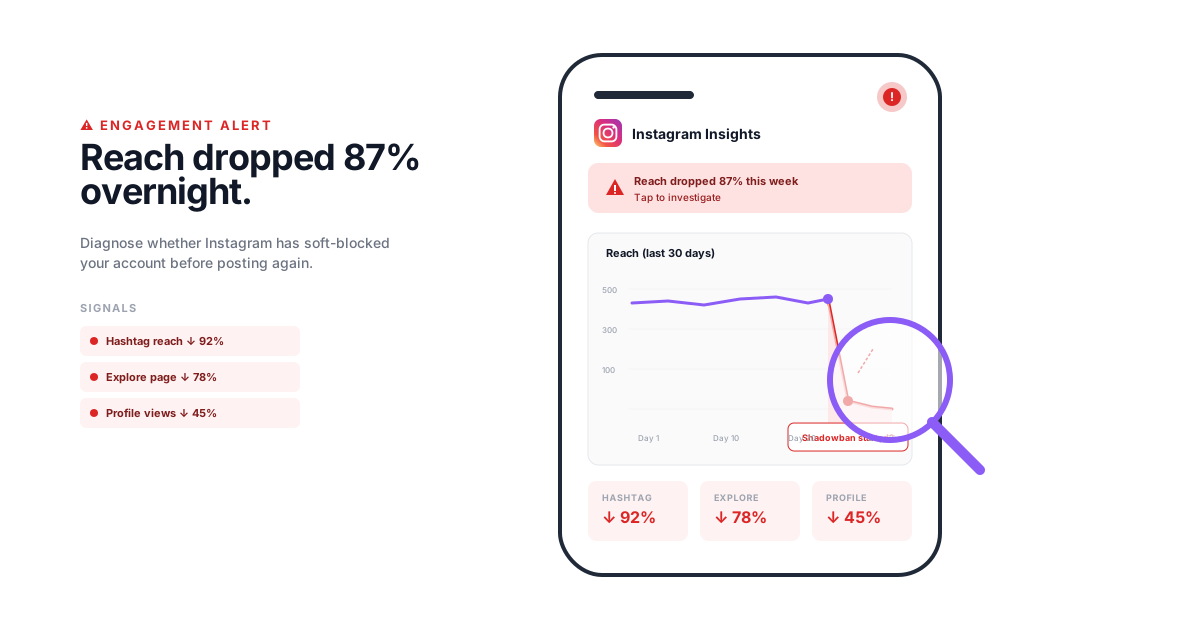
Instagram's version centers on hashtag reach. Post something with a low-competition hashtag (under 10K posts), then check if your post appears in that hashtag's Recent tab from a non-follower account. Also check Instagram Insights: if your hashtag impressions dropped to zero while other metrics held steady, that's a clear sign. Instagram may also limit your Explore page reach without fully hiding your posts.
- Test with low-competition hashtags
- Check Insights for hashtag reach
- Search from a non-follower account
- Monitor Explore page impressions
Facebook Shadowban Check
Facebook shadowbans are harder to detect because the News Feed algorithm is already unpredictable. Ask a friend or colleague to check if your Page posts or personal posts appear in their feed. If multiple people confirm they haven't seen your posts despite following your Page, Facebook may have throttled your distribution. Check Page Insights for sudden drops in organic reach that don't correlate with posting frequency changes.
- Ask followers to check their feed
- Review Page Insights organic reach
- Compare reach across post types
- Check if posts appear in Groups
LinkedIn Shadowban Check
LinkedIn shadowbans typically reduce your post visibility to connections only, or even below that. Post something and check if it gets any impressions beyond your immediate network. If your posts consistently get 0 impressions from non-connections when they used to get thousands, LinkedIn has likely limited your reach. Also check if your posts appear when connections search for relevant keywords.
- Monitor post impressions breakdown
- Check visibility to non-connections
- Test keyword searchability
- Compare engagement to baseline
Common Causes Across All Platforms
Most shadowbans trace back to a handful of behaviors that platforms interpret as spam or manipulation. Posting too frequently (more than platform norms), using banned or flagged hashtags, mass following and unfollowing accounts, using unauthorized automation tools, and receiving a spike in user reports. Violating community guidelines, even unintentionally, can also trigger suppression without a formal notification.
- Posting frequency violations
- Banned or flagged hashtags
- Mass follow/unfollow behavior
- Unauthorized automation or bots
How to Fix a Shadowban: Step by Step
A systematic approach to identifying and resolving shadowbans on any platform
Identify the Symptoms
Before assuming you're shadowbanned, rule out normal fluctuations. Check your analytics for the past 30 days. A shadowban causes a sudden, dramatic drop, not a gradual decline. If your reach dropped 70%+ overnight, proceed to testing.
Run Platform-Specific Tests
Use the detection methods above for your specific platform. Test from a logged-out browser, a secondary account, or ask someone who doesn't follow you. Document what you find: which tests fail tells you what type of restriction you're dealing with.
Identify What Triggered It
Review your recent activity for red flags. Did you use a new hashtag set? Post more frequently than usual? Use a third-party tool that violates the platform's API terms? Get reported by other users? The cause determines the fix. If you can't identify the trigger, assume it was automated detection flagging a behavior pattern.
Implement the Fix and Wait
Stop the behavior that caused it. Remove banned hashtags from recent posts. Reduce posting frequency. Disconnect unauthorized tools. Then wait. Most shadowbans lift within 14-30 days if you stop the triggering behavior. During this time, post normally but conservatively. Don't try to game the system by creating new accounts.
Shadowban Scenarios and How They Get Resolved
Illustrative scenarios based on common situations agencies and brands encounter
Brand Account Losing Reach Overnight
A skincare brand's Instagram account went from 15K average reach per post to under 500 in one week. Their agency noticed the drop during a weekly analytics review.The brand had been using a popular hashtag set they found in a 'best hashtags' blog post. Three of those hashtags had been flagged by Instagram for spam. Every post using those hashtags was being suppressed in discovery.
The agency removed the flagged hashtags from all recent posts, built a new hashtag strategy using only verified-safe tags, and paused posting for 48 hours. Reach returned to normal within 10 days.
Agency Client's Account Flagged for Automation
A restaurant chain's Twitter account started getting 0 impressions on replies. The client's internal team had been using an unauthorized auto-reply tool to respond to mentions.The auto-reply tool was sending identical responses to dozens of mentions per hour, which Twitter's spam detection flagged as bot behavior. The account received a reply deboosting shadowban: replies existed but were hidden from public view.
The agency disconnected the unauthorized tool, manually responded to key mentions, and filed a support request with Twitter. The reply ban lifted after 7 days. They switched to a platform-approved tool for managing replies at scale.
Influencer's TikTok Content Invisible on For You Page
A fitness influencer's videos went from 50K-100K views to under 200. Every new post flatlined immediately. The influencer's agency suspected a shadowban.The influencer had been posting 6-8 TikToks per day during a challenge, well above the platform's norms. This rapid-fire posting pattern triggered TikTok's spam detection, suppressing all content from the For You page.
They reduced posting to 1-2 videos per day, deleted the most recent batch of rapid-fire posts, and waited. After 2 weeks, For You page distribution resumed. The agency now monitors posting velocity as part of their content calendar planning.
How Agencies Protect Client Accounts from Shadowbans
When you're managing 10, 20, or 50 client accounts through a proper agency management platform, a shadowban on any one of them is a client call you don't want to take. The good news: most shadowbans are preventable with the right processes. It comes down to three things: safe scheduling practices, hashtag hygiene, and proactive monitoring.
First, use scheduling tools that connect through official platform APIs. Unauthorized automation is the number-one cause of shadowbans we see across agency accounts. If a tool can auto-reply, auto-follow, or auto-engage, it's almost certainly using unofficial access that platforms actively detect and penalize. Stick to tools with verified partner status. Beyond the tool itself, build posting cadences that stay within each platform's norms: 1-2 posts per day on Instagram, 3-5 tweets on Twitter/X, 1-2 TikToks daily. Going well beyond these ranges, even with a legitimate tool, can trip spam filters.
Agency shadowban prevention checklist:
- Audit all third-party tools connected to client accounts and remove anything not officially approved
- Maintain a banned hashtag list and check it before every campaign launch
- Set posting frequency limits per platform in your content calendar
- Set up weekly engagement drop alerts so you catch issues within days, not weeks
Second, hashtag research isn't only a reach strategy, it's a risk management practice. Platforms regularly flag and suppress hashtags without announcement. A hashtag that worked fine last month might be banned today. Before launching any campaign, spot-check your hashtag sets by searching them on the platform. If a hashtag shows a warning message or returns no recent results, drop it immediately. Finally, set up analytics monitoring with real-time engagement alerts that flag unusual drops. The difference between a 2-day fix and a 30-day recovery is often just how quickly you catch the problem. Weekly reach reviews across all client accounts, comparing current week to the previous 4-week average, will surface a shadowban before the client even notices. We cover the broader detection workflow in our piece on Instagram vs Facebook analytics for agencies.
Shadowban FAQ
Common questions about shadowbans, detection, and recovery
A shadowban is when a social media platform silently reduces or hides your content's visibility without notifying you. Your posts still exist on your profile, but they don't appear in search results, hashtag feeds, or other users' discovery feeds. The term comes from the idea that you're banned from visibility while your account appears normal to you.
Most shadowbans last between 14 and 30 days, assuming you stop the behavior that triggered it. Some platforms lift restrictions sooner; Twitter shadowbans can clear within a few days. TikTok and Instagram bans tend to last closer to 2-4 weeks. If you keep doing whatever triggered the ban, it can last indefinitely or escalate to a full account suspension.
Legitimate scheduling tools that use official platform APIs (like CampaignSwift, Buffer, or Hootsuite) do not cause shadowbans. However, unauthorized tools that use unofficial API access, auto-engage features, or bot-like behavior can trigger spam detection. Stick to tools that are listed as official partners of each platform.
Search your exact post text from a logged-out browser or incognito window. If it doesn't appear in X (Twitter) search, you likely have a search ban. Then check whether your replies are hidden behind a 'Show more replies' link on other people's posts, which signals reply deboosting. Automated X shadowban checkers like Shadowban.eu run these tests for you, and if one is unavailable, the manual logged-out search remains the most reliable shadowban test.
First, identify the type of ban using a tool like Shadowban.eu. If it's a search ban, review your recent tweets for anything that could be flagged: spam links, excessive hashtags, or aggressive reply patterns. Delete flagged content, reduce your posting frequency for a week, and avoid mass-following or mass-liking. Most Twitter shadowbans lift within 2-7 days.
Most platforms deny using the term 'shadowban' but acknowledge they reduce visibility of certain content. Instagram has said they limit the reach of content that goes against their recommendations guidelines. TikTok admits to reducing distribution of videos that are 'under review.' Twitter has acknowledged filtering some accounts from search results. The behavior is real; the terminology is debated.
Shadowbans primarily affect organic reach, not paid advertising. If your account is shadowbanned, your paid promotions and ads should still run normally through the platform's ad system. However, if your account is flagged for policy violations severe enough to affect advertising, that's a separate issue from a shadowban. That's an ad account restriction.
For Twitter, Shadowban.eu is the most reliable third-party checker. For Instagram and TikTok, there's no single tool that's consistently accurate. Manual testing (checking hashtag visibility from a non-follower account) remains the most reliable method. Be cautious of tools that claim to check shadowbans but actually just want your login credentials.
Follow platform guidelines, avoid mass actions (bulk following, liking, or commenting), use only officially approved third-party tools, don't repost the same content repeatedly, stay within normal posting frequency ranges, and research your hashtags to avoid banned ones. For agencies managing multiple accounts, use a platform like CampaignSwift that operates through official APIs and helps you stay within safe posting limits.
Still have questions?
Our team is here to help. Book a 15-minute call to get all your questions answered.
Ready to put the busywork on agents?
Start with one client. Connect accounts, send your first approval link, and let the agents take the follow-ups. Plans start at $29/mo.
30-day free trial · No credit card · Cancel anytime
Questions? Book a 15-min demo call
Schedule Demo