Best Social Media Scheduling Tools 2026 Guide
Looking for the best social media scheduling tools for your agency? When you manage social accounts for 10, 20, or 50 clients, your scheduling tool is the backbone of your content operation, not a nice-to-have. We compared the leading social media schedulers (Hootsuite, Buffer, Later, Loomly, SocialBee, and CampaignSwift) on multi-client support, bulk scheduling, approval workflows, AI features, and agency pricing, so you can pick the right scheduling app for how your team actually works.

Why Your Scheduling Tool Choice Matters More Than You Think
The real cost of using the wrong scheduling platform at scale
Platform Fragmentation Eats Your Day
01Most agencies post to Instagram, Facebook, LinkedIn, X, TikTok, and Pinterest, at minimum. If your scheduling tool does not support all of them well, you end up logging into native apps to fill the gaps. That five-minute workaround becomes an hour per day across your client roster.
Scaling Content Without Scaling Headcount
02Going from 5 clients to 20 should not mean hiring three more content managers. The right scheduling tool handles bulk uploads, recurring post templates, and cross-client calendars so your existing team can produce more without burning out.
Team Coordination Breaks Down Fast
03When two team members accidentally schedule conflicting posts, or a draft goes live before the client approves it, the fix takes longer than the original task. A scheduling tool with clear assignment, draft states, and approval gates prevents these collisions.
Manual Posting Is a Time Sink Nobody Talks About
04Some agencies still copy-paste content into native platforms because their tool does not support direct publishing to every channel. A team in that position can easily lose 8-12 hours per week to manual posting alone, time that could go toward strategy or client growth.
What to Look for in a Social Media Scheduling Tool
The features that actually matter when you are choosing a scheduling platform
Multi-Platform Support
Your tool should publish directly to every platform your clients use: Instagram (including Reels and Stories), Facebook, LinkedIn, X, TikTok, Pinterest, YouTube, and Google Business Profile. Partial support means manual workarounds, and those add up fast across dozens of accounts.
- Direct publishing to all channels
- Reels and Stories support
- Google Business Profile
- No manual workarounds
Bulk Scheduling and Queues
Scheduling posts one at a time is fine for personal accounts. Agencies need to upload a week or month of content in one session. Look for CSV upload, repeating post queues, and drag-and-drop calendar interfaces that let you plan content in batches, the way bulk social media scheduling is meant to work.
- CSV bulk upload
- Repeating post queues
- Drag-and-drop calendar
- Batch content planning
Team Workflows and Approvals
A scheduling tool for teams should support draft, review, and approved states. The strongest options work as a social media tool with approval workflow built in: assign posts to team members, require client approval before publishing, and keep an audit trail of who changed what. Without this, content goes live without oversight.
- Draft and review states
- Client approval gates
- Post assignment
- Change audit trail
Analytics Integration
The best scheduling tools show you what happened after you posted: engagement rates, reach, click-throughs, and best posting times. This data should feed back into your scheduling decisions. If analytics live in a separate tool, your team has to context-switch constantly.
- Post-level analytics
- Best time suggestions
- Engagement tracking
- Performance reports
Agency-Friendly Pricing
Watch the pricing model carefully. Per-user pricing punishes growing teams. Per-social-profile pricing punishes agencies with many clients. The ideal model scales predictably so adding your next client does not spike your monthly bill by 30%.
- Predictable scaling costs
- No per-seat surprises
- Flexible plan tiers
- Multi-client value
Content Calendar Views
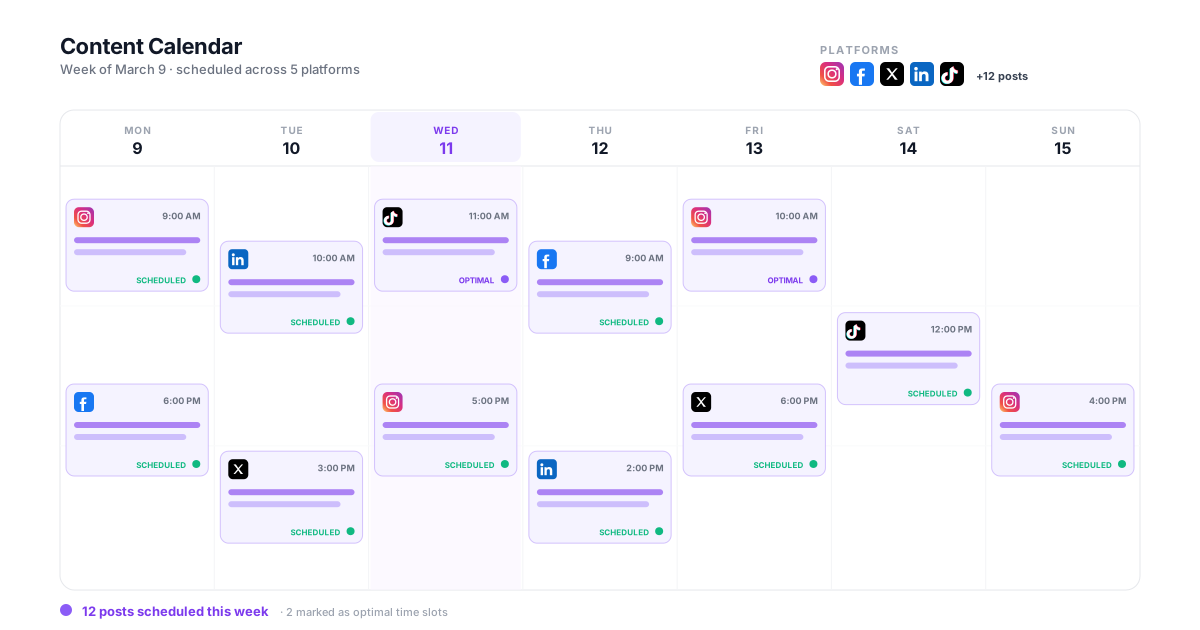
A visual calendar is not optional for agencies. You need to see the full month across all clients at a glance, filter by client or platform, and spot gaps before they become missed posting days. Dedicated content calendar software should be the command center for your content operation, not an afterthought bolted onto a queue.
- Month-view overview
- Client and platform filters
- Gap detection
- Multi-client calendar
How to Evaluate Scheduling Tools for Your Agency
A practical four-step process to pick the right platform
Audit Your Current Workflow
Before you compare tools, document what you actually do each week. How many posts go out? Across how many accounts and platforms? Who creates, who reviews, who approves? This baseline tells you which features are essential vs. nice-to-have.
Run a Real Trial With Real Content
Do not judge a tool by its marketing page. Sign up for a trial and schedule a full week of content for at least two clients. Upload media, tag accounts, set up approval workflows. You will find friction points in the first 30 minutes that a demo video would never show you.
Calculate Total Cost at Your Scale
Price the tool at your current client count, then at double. Some tools look affordable at 10 social profiles but cost $400+ at 50. Factor in add-on costs for analytics, team seats, or advanced features that are locked behind higher tiers.
Test the Edge Cases
Schedule an Instagram Reel. Try a TikTok post. Set up a LinkedIn carousel. Post a Google Business update. The platforms where your tool falls short are the ones where your team will waste time with manual workarounds every single week.
How Scheduling Tools Compare in Practice
Real trade-offs agencies face when choosing a scheduling platform
Full Agency Platform vs. Point Solution
Deciding between a scheduling-only tool (like Buffer or Later) and a full agency platform that includes scheduling (like CampaignSwift)A point solution handles scheduling well but sits alongside your analytics tool, your inbox tool, your reporting tool, and your approval tool. Each one costs $30-100/month. Data does not flow between them. Your team switches tabs constantly.
An integrated agency platform puts scheduling inside the same workspace as your inbox, client review links, analytics, and approvals. Content scheduled in the calendar connects to the reporting dashboard and the client approval workflow automatically. If the inbox side is what you are weighing, we compare those separately in our best social media inbox tools guide.
Free Tools vs. Paid Platforms
Evaluating whether a free scheduling tool can handle agency workloadsFree plans from Buffer, Later, or Hootsuite cap you at 3-10 social profiles with basic scheduling only. No bulk upload, no approvals, limited analytics. You hit the ceiling within a month of serious use.
Paid plans unlock the features that actually save time: batch scheduling, team collaboration, client approvals, and detailed analytics. For many agencies, the cost pays for itself quickly through time savings alone.
Solo Operator vs. Team Workflow
Choosing a tool that fits a one-person agency today but can grow with youAs a solo operator, you can get by with a simple scheduling tool. But when you hire your first content manager or bring on an intern, you need role permissions, assignment workflows, and approval states that your simple tool does not have.
Starting with a tool that supports team workflows means you do not have to migrate everything when you grow. CampaignSwift scales from solo operators to 50-person teams without changing platforms or losing your content history, with multi-client management and role permissions available from the first plan.
Social Media Scheduling Tools Compared
The six platforms agencies shortlist most often, on the four criteria that decide the outcome at scale.
| Tool | Multi-client structure | Approvals | Pricing model | Best fit |
|---|---|---|---|---|
| CampaignSwift | Client is the primary unit; separate workspaces and permissions | Native, in the scheduling flow | Flat per plan, not per seat | Agencies running client work |
| Hootsuite | Account-level, workable but dated calendar | Add-on, typically a higher tier | Per seat | Larger teams with budget |
| Sprout Social | Strong queue management at account level | Add-on, higher tier | Per seat, enterprise-weighted | Enterprise budgets |
| Loomly | Clean, but agencies tend to outgrow it past ~10 clients | Native | Tiered by users and accounts | Small in-house teams |
| Buffer | Every connected account treated the same; no client layer | Limited | Per social channel | Solo creators, single brands |
| Later | Instagram-first; no true per-client separation | Limited | Per social set | Creators, visual-led brands |
Capability summary reflecting how each platform is structured rather than a feature count. Vendors change plans and packaging often, so confirm current pricing and tier gating directly before committing.
What the Best Social Media Scheduling Tools Actually Do
Before picking from the list, it helps to understand what a real scheduling platform delivers under the hood. The best social media scheduling tools all share the same core capabilities (auto-publish, queue management, AI captions, content calendars), but the depth varies massively between tools.
Auto-Publish and Queue Management
Auto-publish is the entire reason a scheduling tool exists. You upload content, set a time, and the platform handles publishing without you logging into each native app. The cheaper tools (Buffer, Later) handle this competently for 3-5 platforms. The agency-grade options add queue management: visual rebalancing across days, gap detection when a client's queue runs dry, automated reposting of evergreen content, and bulk pause when a client goes on holiday. Queue management is where Hootsuite and Sprout Social separate from creator-focused tools like Later. CampaignSwift attacks the same problem through its dual-mode calendar, where Planning mode makes gaps visible before they become missed posting days. For agencies running 15+ clients, these calendar-level features save more hours than the scheduling itself.
Content Calendar and Visual Planning
The content calendar is where most scheduling tools show their philosophy. Loomly and Planable lead on visual planning: drag-and-drop, color-coded campaigns, and per-post visual previews that match each platform's native look. Buffer keeps its calendar minimal. Hootsuite's calendar is functional but dated. CampaignSwift's dual-mode calendar (Schedule view + Planning view) handles both committed posts and unconfirmed content ideas in one interface. For agency teams, the calendar choice matters most when stakeholders other than the social manager need to see what's planned: clients, account managers, and creative directors all consume the calendar differently.
AI Captions and Hashtag Generation
AI captions are now table stakes. Every major scheduling tool has shipped some version of generative AI for captions and hashtag suggestions in the last 18 months. Quality varies: Sprout Social ships its own AI assistant, while CampaignSwift grounds caption and content suggestions in each client's brand voice and past results rather than generic prompts. Buffer added a basic OpenAI wrapper. Later focuses AI on Instagram caption rephrasing. The differentiator now isn't whether the tool has AI. What matters is whether the AI is tuned for the platform-specific tone, character limits, and hashtag patterns that actually drive engagement, or just generic GPT output dropped into the captioning field.
The Other Scheduling Tools Worth Knowing About
Beyond the top 6 most agencies evaluate, there are several scheduling tools worth knowing for specific niches. Loomly is strong for small in-house teams that need clean approval workflows but tend to outgrow it past 10 clients. SocialBee built a category-based queue system that creators love but agencies find limiting. Sendible targets the small-agency segment specifically with white-label reports but the interface feels dated. Publer is the budget-friendly option with surprisingly capable bulk scheduling for under $50/month. Sprout Social handles enterprise scheduling but costs more than most mid-size agencies can justify. Each of these is a fine tool for the right team. The question is matching the tool to where your agency actually operates today and 12 months from now. If you're weighing one of these against an integrated agency platform, our deep-dive comparisons cover the trade-offs: Loomly alternative, Sendible alternative, CoSchedule alternative, and RecurPost alternative.
Audit Trail and Approval Integration
For agencies, audit trail and approval integration are what separates a scheduling tool from a scheduling platform. A scheduling tool publishes a post. A scheduling platform records who approved it, when, on what version, and routes the entire content workflow from brief to publish through one connected pipeline. Hootsuite and Sprout Social bolt approval workflows onto their schedulers as separate add-ons (often at a higher tier). CampaignSwift and Loomly integrate approval natively into the scheduling flow. If your team currently chases client sign-off through email, the integration is the single biggest hour-saver in any scheduling tool migration.
White-Label and Multi-Client at the Account Level
White-label scheduling matters when clients want to access the platform directly or when reports leave your agency with the tool's branding stripped. White label social media management platforms for agencies are a much smaller field than the general market suggests, and only a handful of scheduling tools handle it cleanly: Sendible at the low end, Sprout Social at enterprise, and CampaignSwift with white-label reports built for agency client delivery. Multi-client capabilities at the account level (separate workspaces per client, isolated team permissions, client-specific approval routing) are even rarer. Buffer and Later treat each connected account as essentially the same, so agencies running 15+ clients on those tools usually patch the gaps with spreadsheets and Slack channels. Agency-grade scheduling tools treat the client as the primary unit, not the account. See how a Buffer alternative and a Later alternative handle true multi-client structure instead.
When you evaluate the best social media scheduling tools for your agency, work backward from your three biggest weekly time sinks: queue management, approval chasing, and report distribution. The tool that handles those three best for your specific client count will outperform a tool with deeper features in areas you do not actually use.
What Is the Best Social Media Scheduler?
There is no single answer, and any article that gives you one is selling something. The best social media scheduler is the one that matches how many clients you run and how much of the work happens before the post goes out. That said, the choice collapses into three groups quickly.
Solo creators and single brands are best served by Buffer or Later. They are cheap, quick to learn, and publish reliably to the platforms most creators care about. Small teams with a review step tend to land on Loomly or SocialBee, which add structure without enterprise pricing. Agencies running client work need per-client separation, approvals and reporting in the same place, which is where CampaignSwift, Sprout Social and Sendible compete. Picking from the wrong group is the most common and most expensive mistake, because migrating later costs you content history and queue templates.
If you want a shortcut: count your social profiles, then double it. If that number is under 10, almost any of the best social media schedulers will do and you should optimise for price and ease. Above 20, per-client architecture stops being a nice-to-have and the field narrows to a handful of genuinely agency-grade options.
Scheduling App or Scheduling Platform: Which Do You Actually Need?
A scheduling app for social media does one job: it takes a finished post and publishes it later. That is genuinely all most people need, and paying for more than that is waste. The distinction worth understanding is what happens before the scheduled time.
Apps optimise the last step. Platforms to schedule social media posts across a whole team also carry the steps in front of it: who writes it, who reviews it, whether the client signed off, and what happens when publishing fails at 6am. If your content goes from someone's head straight to the queue, an app is the right call and the extra features will sit unused. If content passes through two or more people before it publishes, the app becomes the bottleneck: the coordination moves to Slack and spreadsheets, and the tool stops being the source of truth.
The practical test: when a client asks what is going out next week, can you answer from the tool alone? If yes, your current platform to schedule social media posts is doing its job. If you have to check three places, you have outgrown a scheduling app and the best tools to schedule social media posts for your situation are the ones that also carry planning and approvals. CampaignSwift takes the platform approach: publishing to 7 networks sits on the same calendar as briefs, deadlines and client sign-off, covered in more depth under social media scheduling and content calendar software.
Best Social Media Management Software for Agencies
Scheduling is one module of a bigger job. Agencies searching for the best social media management software for agencies are usually past the scheduling question and asking a harder one: how many separate tools does this replace? A scheduler that leaves you paying for a separate approval tool, a separate reporting tool and a separate inbox has not reduced your stack, it has added to it.
Judge candidates on consolidation rather than feature count. Does client approval happen in the tool or in email? Do reports come out white-labelled without a manual rebuild? Is the inbox for comments and DMs in the same place as the calendar? Sprout Social and Hootsuite answer yes to most of that at enterprise pricing. Sendible answers yes for smaller agencies with a dated interface. CampaignSwift is built around the consolidation case specifically, at $29–$397/month flat rather than per seat. For a fuller view of agency operations beyond scheduling, see social media management for agencies. If your shortlist is specifically about AI capability rather than scheduling depth, our best AI social media tools comparison is the better starting point.
What Changed for 2026
Two things reshaped this list over the past year, which is why the best social media management software for agencies 2026 looks different from a 2024 shortlist. First, direct API publishing to TikTok and Instagram Reels stopped being a differentiator and became an expectation, so tools still relying on push-notification workarounds have quietly fallen out of serious consideration. Second, per-seat pricing collided with agency economics: as teams added freelancers and account managers, seat-based bills grew faster than client revenue, and flat-rate plans became a genuine selection criterion rather than a footnote.
The practical effect is that comparisons of the best social media management platforms for agencies 2026 now turn on consolidation and pricing model more than on raw scheduling features, which have largely converged. If you are running a social media agency services automation platforms comparison of your own, score each candidate on how many separate subscriptions it retires and how the bill behaves when you add three people, not on which one has the longest feature list. That test also sorts the best social media platforms for digital marketing agencies 2026 faster than any feature matrix, because the tools that consolidate well tend to be the ones built for client work from the start rather than retrofitted for it.
Best Social Media Scheduling Tools for Small Businesses
If you are a small business or a growing agency with a handful of clients, the scheduling tool market can feel overwhelming. There are dozens of options, and most comparison articles list the same 10 tools without helping you figure out which one actually fits your situation. Here is what we have seen work in practice: start by counting your social profiles. If you manage fewer than 10 profiles across all clients, a mid-tier plan from almost any tool will cover you. The differences start to matter when you cross 15-20 profiles and need to coordinate content across multiple people through proper multi-client management.
For small businesses posting on their own behalf, the priority is ease of use and reliable publishing. You do not need approval workflows or multi-client calendars. You need a clean calendar, support for the platforms you actually use, and basic analytics that tell you what is working. Where small agencies often go wrong is choosing a tool that is too simple and then outgrowing it within six months. Migrating scheduling tools is painful: you lose your content history, your queue templates, and your best-time data. It is worth picking a tool with room to grow, even if you do not use every feature on day one. Check our pricing page to see how CampaignSwift scales from solo operators to full teams.
What small businesses should prioritize in a scheduling tool:
- Direct publishing to Instagram, Facebook, and at least one other platform you actively use
- A visual calendar that shows your full posting week at a glance
- Basic analytics: engagement rate, reach, and best posting times
- Room to add team members or client accounts without switching platforms
The agencies that scale smoothly are the ones that pick a scheduling tool based on where they are heading, not just where they are today. If you plan to take on more clients this year, choose a platform that handles multi-client workflows from the start. If you want to see how scheduling fits into a full agency operations platform, alongside approval workflows, reporting, and client portals, book a quick walkthrough and we will show you how the pieces connect. We also break down what to look for in our guide on managing scheduled posts at agency scale.
Social Media Scheduling Tools FAQ
Common questions about choosing the right scheduling platform
The best social media scheduling tool depends on your team size and workflow. For agencies managing multiple clients, CampaignSwift offers scheduling alongside client approvals, analytics, and inbox management in one platform. For solo creators, simpler tools like Buffer or Later may be sufficient. The key differentiator is whether you need multi-client management, team workflows, and integrated reporting, or just basic post scheduling.
For solo creators and single brands, Buffer and Later are the best social media schedulers on price and simplicity. For small teams that need a review step, Loomly and SocialBee add structure without enterprise pricing. For agencies running client work, the field narrows to tools with per-client separation and built-in social media approval software: CampaignSwift, Sprout Social and Sendible. Choosing from the wrong group is the expensive mistake, because migrating later costs you content history, queue templates and best-time data.
A platform to schedule social media posts across multiple clients needs three things a single-brand app does not: separate workspaces per client, permissions that keep freelancers and clients scoped to their own accounts, and approval routing before anything publishes. CampaignSwift publishes to 7 networks from one multi-client content calendar with those controls built in. The practical test for any candidate is whether you can answer "what is going out for this client next week" from the tool alone, without checking Slack or a spreadsheet.
A scheduling app for social media is enough when content goes from one person's head straight to the queue. It becomes the bottleneck the moment two or more people touch a post before it publishes, because the coordination then moves into Slack and spreadsheets and the tool stops being the source of truth. If your content passes through a writer, a reviewer and a client, the best tools to schedule social media posts for you are the ones that also carry planning and approvals in the same place.
Free scheduling tools work well for personal accounts or very small operations with fewer than 5 social profiles. Tools like Buffer and Later offer free tiers with basic scheduling. However, free plans typically limit the number of connected accounts, restrict analytics, and exclude team collaboration features. Most agencies outgrow free plans within a few weeks of serious use.
The best scheduling tool for agencies needs to handle multiple clients, support team workflows with approvals, and scale without per-seat pricing surprises. CampaignSwift is built specifically for agency workflows: multi-client calendars, client approval gates, white-label reporting, and bulk scheduling are included by default. Other agency options include Sprout Social and Hootsuite, though they tend to be more expensive at scale.
Small businesses with 1-3 social profiles should look at Buffer, Later, or Hootsuite's starter plans. If you manage social media for clients (even just a few), CampaignSwift's agency pricing is usually more cost-effective because it includes client management features that small-business tools charge extra for. The right choice depends on whether you are posting for yourself or for others.
Yes, but support varies by tool. Some platforms offer direct publishing for TikTok and Reels, while others only send push notifications reminding you to post manually. CampaignSwift supports direct publishing to TikTok and Instagram Reels so your team does not need to handle manual uploads for short-form video content.
This varies widely by tool and plan. Free plans typically allow 3-5 profiles. Mid-tier plans support 10-25 profiles. Enterprise plans go higher. CampaignSwift uses flat per-plan pricing: the $197 Agency plan includes 75 social accounts, and the Scale plan removes account and seat limits entirely. For agencies managing 30+ client accounts, check the pricing at your actual scale before committing.
Most paid scheduling tools for agencies support some form of bulk upload, typically through CSV files. The quality of this feature varies significantly. Some tools handle text-only CSV uploads. Better tools let you bulk upload with images, hashtags, and platform-specific settings. CampaignSwift approaches batch production through reusable post templates, per-platform customization, and an AI Monthly Planner that drafts a month of content for review in one pass.
Using separate tools for scheduling and analytics creates a gap between what you post and how it performs. You end up exporting data and cross-referencing spreadsheets. A social media scheduling tool with built-in analytics, like CampaignSwift, connects posting data directly to performance metrics, so your team can see what works and adjust the content strategy without leaving the platform.
Still have questions?
Our team is here to help. Book a 15-minute call to get all your questions answered.
Ready to put the busywork on agents?
Start with one client. Connect accounts, send your first approval link, and let the agents take the follow-ups. Plans start at $29/mo.
30-day free trial · No credit card · Cancel anytime
Questions? Book a 15-min demo call
Schedule Demo