What Is an Agency Operations Platform?
Project management tools weren't built for agencies. Neither were most top social media scheduling tools or generic CRMs. This new category of software unifies every workflow under one roof. It covers client communication, campaign execution, and reporting. Here's what defines it and how to tell if your agency needs one.

Why Existing Tool Categories Fail Agencies
Generic software forces workarounds that compound over time
Task Trackers Ignore Client Workflows
01Tools like Asana and Monday.com are great for internal task tracking. But they were built for product teams, not agencies. They lack multi-client workspaces, content approval cycles, and white-label dashboards. Agencies end up building workarounds with custom fields and third-party integrations. The result is a fragile system that breaks every time a new client onboards.
Point Solutions Create Expensive Data Silos
02Hootsuite handles scheduling. Sprout Social handles analytics. HubSpot handles CRM. Each tool does its one job well. But none of them talk to each other. Your team spends hours exporting CSVs, copy-pasting data, and reconciling numbers that never match. You pay premium prices for 12 separate tools while getting a fragmented view of every client.
CRMs Weren't Designed for Recurring Service Delivery
03HubSpot and Salesforce are built around sales pipelines and one-time conversions. Agencies don't sell products. They deliver ongoing services across dozens of clients at once. CRMs can't track campaign performance or manage content calendars. They don't handle multi-stage approvals or cross-channel execution either. They track the relationship but ignore the actual work.
Per-Seat Pricing Punishes Agency Growth
04Most generic tools charge per user. For a 15-person agency running 8 platforms, every new hire can add $150-$300/month in extra subscriptions alone. This creates a bad incentive: growing your team erodes your margins. Agencies need pricing aligned with their business model, not pricing built for tech companies.
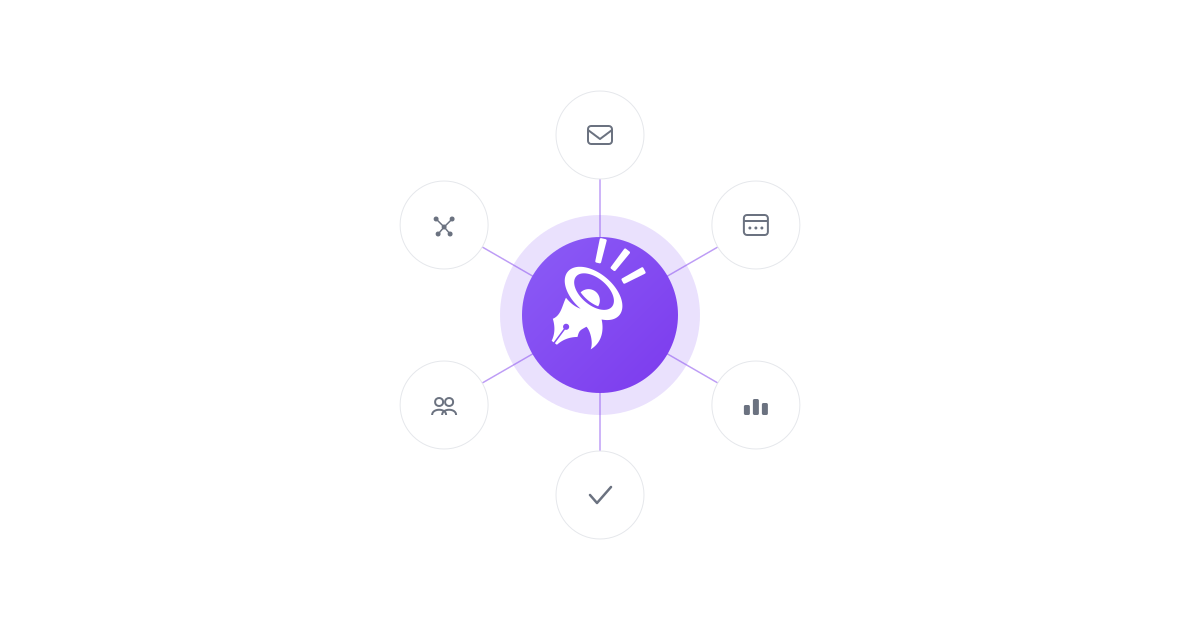
The Six Pillars of a Unified Platform
What separates purpose-built agency software from generic business tools
Unified Inbox With AI Triage
Every client message, social mention, comment, and DM flows into one inbox. It's organized by client, channel, and priority. AI triage categorizes messages, suggests responses, and routes urgent items to the right team member. No more switching between five notification streams.
- All channels in one view
- AI-suggested responses
- Sentiment analysis per client
- Smart routing by team member
Campaign Orchestration Engine
Plan, schedule, and run multi-channel campaigns for every client from one workspace. The orchestrator connects content creation, review cycles, scheduling, and publishing into a single flow. No more scattering each step across different tools. Your Facebook, Instagram, LinkedIn, and TikTok campaigns stay coordinated.
- Multi-client campaign calendar
- Cross-channel scheduling
- Content template library
- Real-time performance tracking
Branded Client Hubs With Multi-Stage Approvals
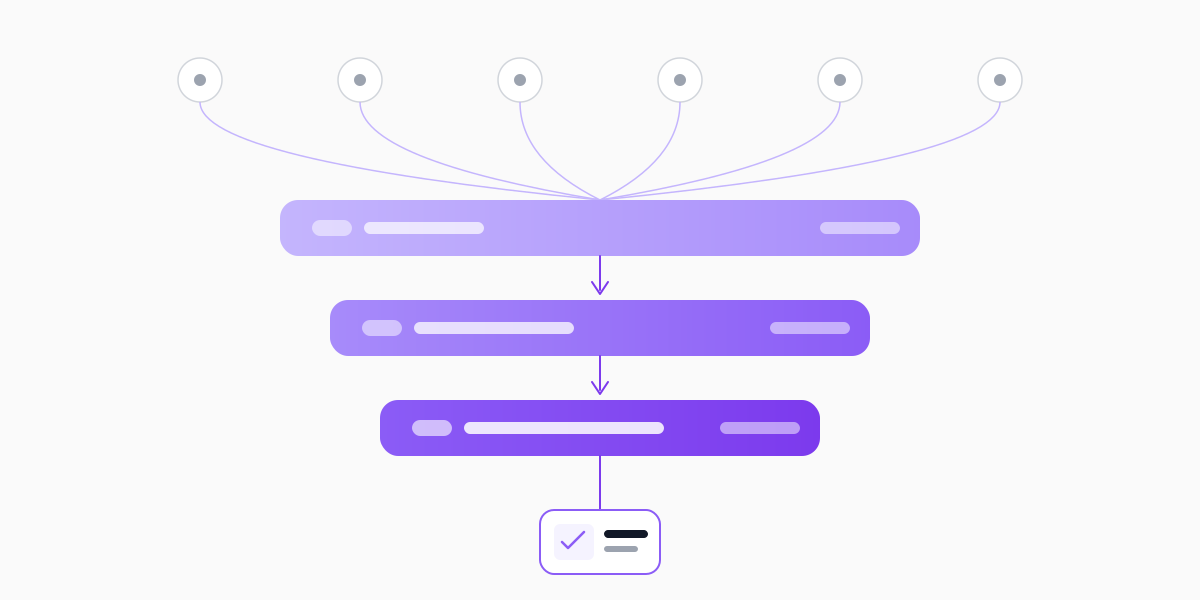
Give every client their own branded space to review content, provide feedback, and approve deliverables. They don't need to log into your internal tools. Multi-stage review flows route content through internal review, client review, and final sign-off. Full audit trails replace email chains with conflicting feedback.
- White-label branding per client
- Structured feedback collection
- Approval audit trails
- Self-serve report access
Team Management and Resource Allocation
See who is working on what, across which clients. Kanban boards and list views with subtasks, priorities, assignments, and due dates keep production visible. Work submissions get manager review before they ship, time tracking shows where hours actually go, and role-based permissions keep the right people on the right clients.
- Kanban and list views with subtasks
- Work submission and manager review
- Time tracking per task
- Role-based team permissions
Unified Analytics and Automated Reporting
Pull performance data from every channel into one analytics layer. It understands multi-client, multi-campaign context. Generate white-label reports automatically instead of spending two days per month assembling data. Cross-channel attribution shows which campaigns actually drive results, not just which posts got likes.
- Cross-channel performance dashboards
- Automated white-label reports
- Client-specific KPI tracking
- Campaign ROI attribution
AI-Powered Assistant
An AI layer built around agency workflows, with a human confirming every change. An AI copilot reads live account data and proposes actions (drafting posts, building reports, assigning tasks) that run only after you approve. Alongside it, agents like Inbox Triage draft on-brand replies, Approval Shepherd follows up on stalled client sign-offs, and Reporting & Retention scores churn risk weekly.
- Propose-first: you confirm every change
- On-brand reply drafts via Inbox Triage
- Approval follow-ups via Approval Shepherd
- Weekly churn-risk scoring per client
How to Evaluate If You Need a Unified Platform
Four diagnostic questions to determine whether your current stack is holding you back
Count Your Tool Switches Per Day
Ask every team member to track how many times they switch between tools each day. If the number tops 25 switches per person, you lose 2-3 hours daily to context switching alone. Multiply that by your team size and hourly rate. That's the true cost of your fragmented stack. Most agencies find this hidden cost exceeds their actual subscription fees.
Measure Your Reporting Assembly Time
Time how long it takes to produce a single client report from scratch. If your team pulls data from three or more dashboards, exports CSVs, and manually builds presentations, you have a reporting problem. One connected system solves this right away. It's common for a team in this position to sink 10-20 hours per month per client into manual reports. That time should go toward strategy.
Audit Your Client Onboarding Friction
Walk through your client onboarding process step by step. How many tools does a new client need access to? How many logins and permission setups are required? If onboarding takes more than a day, your stack creates friction. If clients complain about checking multiple places, that friction costs you retention.
Calculate Your True Per-Client Tool Cost
Divide your total monthly SaaS spend by your number of active clients. Then add the labor cost of context switching, manual reports, and duplicate data entry. If your per-client cost tops $200-$300/month, you're overspending. A purpose-built platform can cut that number substantially, so run the math for your own stack.
The Unified Approach in Practice
Three illustrative scenarios modeled on common agency patterns, not customer case studies
Growing Agency Hitting the 10-Client Wall
Agency managing 10 clients across 8 separate tools, with the founder still involved in every workflowThe founder personally managed client communication across email, Slack, and social DMs. Scheduling happened in Hootsuite, task tracking in Asana, reporting in Google Sheets, and approvals over email chains. Every new client added 3-4 hours of weekly overhead just for tool management. The team couldn't take on client #11 without hiring.
Consolidated all client communication, campaign management, approvals, and reporting into CampaignSwift. The founder was removed from daily loops. Branded client hubs replaced email approval chains. Automated reporting eliminated the monthly spreadsheet scramble. The team took on 5 additional clients without adding headcount.
Mid-Size Agency Losing Clients to Disorganization
A 25-person agency delivering solid work but losing clients to operational gapsClients regularly received late reports, missed social mentions went unaddressed for days, and sign-off cycles took 2-3 weeks because feedback was scattered across email, Slack, and comment threads in four different tools. Two major clients churned in one quarter citing 'lack of organization', even though the team was working 50+ hour weeks.
Implemented CampaignSwift's unified inbox and branded client hub. Every mention was captured and routed within minutes. Review workflows cut turnaround from 2 weeks to 3 days. Automated reports delivered on the first of every month without manual assembly. Client satisfaction recovered visibly within two quarters.
Solo Founder Scaling Past the Solopreneur Stage
Freelancer transitioning to agency model, hiring first 3 team membersRunning everything on free tiers: Buffer for scheduling, Trello for tasks, Gmail for client communication, Canva for design, Google Analytics for reporting. As the first hires came on, per-seat costs across 7 tools jumped from $89/month to $487/month. Onboarding each new team member required training on 7 separate apps. The founder spent more time managing tools than managing clients.
Replaced 5 tools with CampaignSwift before the third hire. New team members learned one system instead of seven. Flat-rate pricing meant the third and fourth hires added zero tool cost. Client-facing dashboards gave the small team a polished, professional presence that won larger contracts.
Unified Platform vs Task Trackers vs Point Solutions
The agency software market is crowded. Most tools fall into three groups: task managers (Asana, Monday.com), point solutions (Hootsuite, Buffer), and CRMs (HubSpot, Salesforce). None were designed for end-to-end agency work. Here's what each category delivers and where a purpose-built platform fills the gaps.
| Capability | Unified Agency Platform | Task Management | Point Solutions |
|---|---|---|---|
| Multi-Client Workspaces | Built-in | Manual workarounds | Limited or none |
| Social Media Scheduling | Integrated | Not included | Core feature |
| Client Approval Workflows | Multi-stage, built-in | Basic via add-ons | Basic or none |
| Unified Inbox | All channels, AI triage | Not included | Social only, limited |
| Campaign Orchestration | Cross-channel, multi-client | Task-level only | Single-channel |
| White-Label Client Dashboards | Fully branded | Not available | Rare, limited |
| Team Workload Balancing | Client-aware capacity | Generic resource views | Not included |
| Automated Client Reporting | Cross-channel, white-label | Project status only | Channel-specific only |
| AI Assistance | Agency-aware, propose → confirm | Generic task AI | Content suggestions only |
| Pricing Model | Flat per-plan, no per-user fees | Per-seat, scales with team | Per-seat or per-profile |
| Typical Monthly Cost (15-person agency) | $199 - $499 | $150 - $450 | $800 - $2,000+ (combined) |
The Core Difference
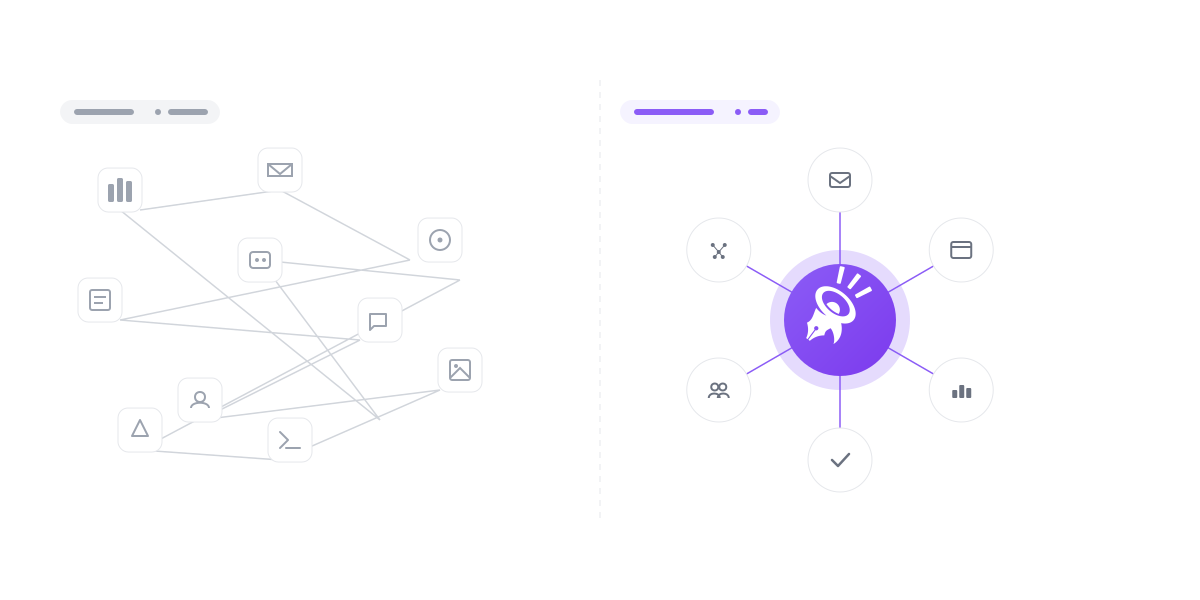
Task trackers organize to-dos. Point solutions handle individual channels. CRMs track relationships. A unified platform connects all three. It handles the full lifecycle of client work from intake to delivery to reporting. The difference isn't small. It's structural. Instead of bolting 12 tools together, you operate from a single system built for how agencies actually work. See a detailed comparison of how CampaignSwift stacks up.
Why "Agency-Specific" Matters More Than "Feature-Rich"
The most common mistake agencies make is picking software based on feature count, not workflow fit. A generic task tracker might have 200 features. But if none of them handle multi-client content approvals, you'll spend more time on workarounds than on client work. That is exactly why purpose-built agency workflow software beats a feature-heavy generic tool every time.
Agency-specific means the software was architected around agency realities from day one:
- 1. Multi-client is the default, not an afterthought. Every feature, from inbox to analytics to scheduling, is organized by client. You never have to build custom views or tag systems to separate client work.
- 2. Approval workflows match agency processes. Content moves through internal draft, internal review, client review, revision, and final approval, with timestamps, comments, and version history at every stage.
- 3. Reporting is client-facing by design. Reports aren't internal dashboards you screenshot. They're polished, branded deliverables that clients access directly through one of the best client portal software for agencies.
- 4. Team management accounts for client load. Resource allocation isn't just about tasks. It factors in client complexity, campaign volume, and deadline density to prevent burnout before it happens.
- 5. Pricing aligns with agency economics. Flat-rate pricing means growing your team doesn't grow your tool costs. Your margins improve as you scale, instead of eroding.
CampaignSwift: Purpose-Built for Agencies
CampaignSwift was built from the ground up for agencies, not repurposed from a task tracker or expanded from a social scheduler. Every feature exists because agencies need it, not because a product team checked a competitive feature box. The full agency management software includes multi-client management, multi-client social media scheduling, approval workflows, and branded client portals: the operational stack agencies actually need.
It unifies all six pillars into a single system with flat per-plan pricing: no per-user fees, and unlimited users on the Scale plan. Unified inbox, campaign orchestration, client hubs, team management, analytics, and AI. No per-seat traps. No per-profile limits. No stitching five tools together with Zapier and hoping the automations hold, a pattern we cover in our analysis of how to reduce agency tool stack costs.
The result: run the math on a typical 12-tool agency stack and consolidation often frees over a thousand dollars a month in subscriptions, plus a serious share of the hours each week currently lost to context switching. That reclaimed capacity is what lets an agency grow without proportionally growing headcount, a set of patterns explored deeper in our pieces on scaling agencies without burnout and agency client retention strategies. Explore the full feature set or see how our pricing compares to your current stack.
Before: Disconnected Tool Stack
- 12+ separate SaaS subscriptions
- Per-seat costs multiply with every hire
- Manual reporting from 5+ dashboards
- Client feedback scattered across email and chat
- No single source of truth for any client
- Team burnout from constant context switching
A stack like this often runs $1,000+/month in tools alone
After: Unified Agency Operations
- One platform for all operational workflows
- Flat per-plan pricing, no per-user fees
- Automated cross-channel reporting
- Structured approvals through client portals
- Complete client history in one workspace
- AI handles repetitive tasks automatically
One predictable monthly fee
Ready to See the Difference?
CampaignSwift replaces your disconnected tool stack with one unified system built for agencies. Stop paying for 12 tools that don't talk to each other, and start running your agency from a single platform designed for how you actually work.
Frequently Asked Questions
Common questions about this emerging software category
It's a unified software system built for digital marketing agencies. It combines social media management, campaign orchestration, client dashboards, team coordination, analytics, and AI into one place. It replaces the 8-12 disconnected tools most agencies cobble together. Unlike generic task trackers or CRMs, it's built around agency workflows like multi-client management, content approvals, and cross-channel campaigns.
Task management tools like Asana, Monday.com, and ClickUp handle to-do lists, timelines, and assignments well. But they lack agency-specific features. They don't offer multi-client workspaces, content review flows, social scheduling, or client-facing dashboards. A purpose-built platform includes task tracking but adds everything else agencies need to deliver client work.
Hootsuite and Buffer are point solutions. They handle social scheduling and basic analytics, but nothing else. Agencies still need separate tools for client communication, task tracking, approvals, and reporting. Point solutions do one thing well but create data silos. A unified platform connects scheduling with every other workflow. Publishing, sign-off, team assignment, and reporting all happen in one system.
No. CRMs like HubSpot and Salesforce are built around sales pipelines. They track leads, manage deals, and nurture prospects. An agency operations platform focuses on service delivery instead. It manages ongoing client work, runs campaigns, coordinates teams, and reports on results. The core purpose is getting work done, not managing a sales pipeline.
Any agency with more than 5 clients or more than 3 people will benefit. Solo agencies with 5-10 clients feel the pain of disconnected tools fast. Mid-size agencies (10-30 clients) can easily lose 20+ hours per week to tool switching. Large agencies (50+ clients) can spend $3,000-$5,000/month on fragmented stacks. The earlier you consolidate, the less operational debt you build up.
Price out a typical 12-tool agency stack (scheduler, analytics, reporting, approvals, client portal, inbox) and it commonly lands north of $1,000/month once per-seat pricing kicks in. A purpose-built solution like CampaignSwift costs $197-$397/month on its Agency and Scale plans, with flat per-plan pricing and unlimited users on Scale. In that scenario, direct tool costs can drop by half or more, and that is before factoring in productivity savings from cutting context switching and manual reports.
A true unified platform includes six core parts. (1) Unified Inbox for all client and social messages with AI triage. (2) Campaign Orchestration for multi-channel planning and execution. (3) Branded Client Hubs for approvals, feedback, and report access. (4) Team Management for workload balancing and capacity planning. (5) Unified Analytics with automated white-label reporting. (6) AI assistance built around agency workflows, with actions proposed by AI and confirmed by a human.
A typical migration takes 2-4 weeks. Week one covers account setup, data migration, and workspace config. Week two focuses on team training while running the new system alongside existing tools. Weeks three and four involve a gradual switch. You move clients to new dashboards and wind down old subscriptions. Most teams are fully up and running within 30 days.
Still have questions?
Our team is here to help. Book a 15-minute call to get all your questions answered.
Ready to put the busywork on agents?
Start with one client. Connect accounts, send your first approval link, and let the agents take the follow-ups. Plans start at $29/mo.
30-day free trial · No credit card · Cancel anytime
Questions? Book a 15-min demo call
Schedule Demo