How to Track Social Media Sentiment for Campaigns
Learning how to track social media sentiment for campaigns is the difference between proving a campaign worked and guessing. This guide covers the practical playbook: how to set a sentiment baseline before launch, how to monitor sentiment in real time during the campaign window, what metrics actually matter, and how to report sentiment movement to clients in a way that connects to business outcomes.

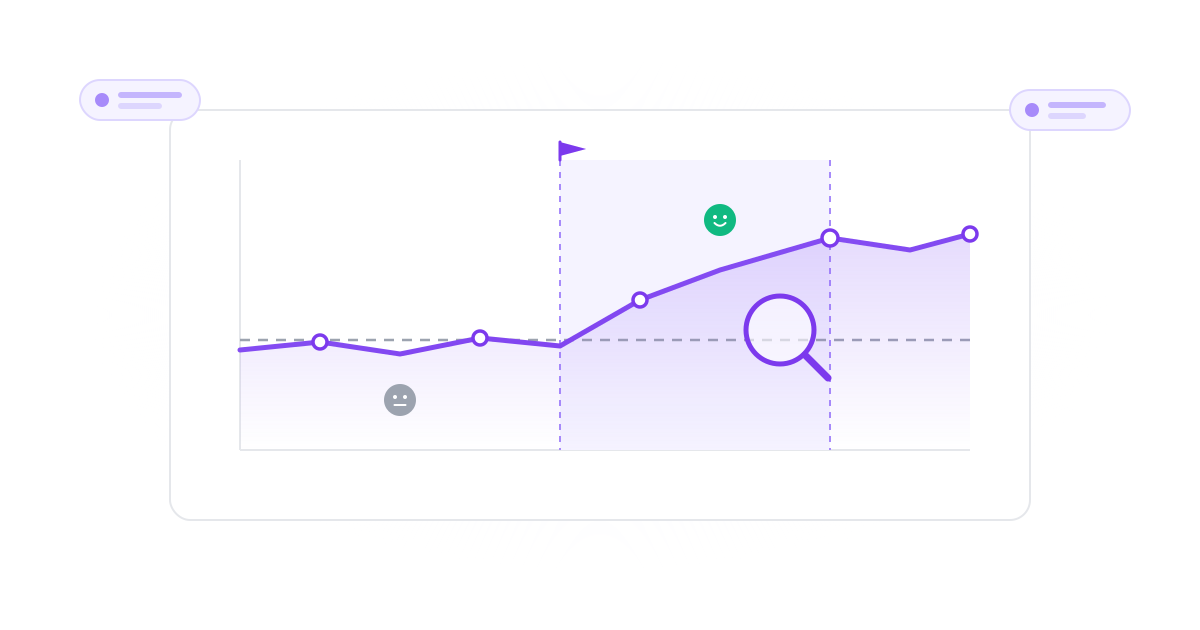
Why Most Agencies Get Campaign Sentiment Tracking Wrong
The common mistakes that produce sentiment reports clients ignore
Measuring Sentiment Without a Baseline
01Reporting that a campaign drove '60% positive mentions' is meaningless without knowing what positive % was before the campaign launched. Without a baseline measured during a comparable pre-campaign window, the campaign sentiment number tells you nothing about whether the campaign actually moved perception.
Aggregating All Mentions Instead of Filtering by Campaign Tag
02Tracking sentiment across every mention of the client's brand during the campaign window catches a lot of noise: unrelated complaints, evergreen conversations, even competitor news. Useful sentiment tracking isolates campaign-driven mentions through hashtags, UTM-tagged links, paid-campaign mention attribution, or content-theme classification.
Using Keyword-Match Sentiment on Hard Cases
03Keyword-matching sentiment tools score 'this is sick' as negative when it's a compliment. They miss sarcasm, mixed feedback ('love the product, hate the shipping'), and emoji-heavy content. For campaign sentiment tracking specifically, where the sample is small and stakes are high, AI/LLM-based sentiment classification with confidence scoring is the only setup that produces trustworthy data.
Reporting Sentiment Movement Without Connecting to Business Outcomes
04Sentiment improved 12 points means nothing to a CMO without context. The campaign sentiment report needs to tie sentiment movement to business signals. Did inbound DMs increase? Did purchase-intent conversations grow? Did churn signals in support drop? Sentiment without outcome correlation is a vanity metric.
How to Track Social Media Sentiment for Campaigns Step-by-Step
The six-step process for campaign sentiment tracking that actually informs decisions
Step 1: Define the Campaign Window and Sentiment Question
Before launch, define the exact campaign window (start date, end date, ramp/wind-down periods) and the specific sentiment question you're measuring: 'Did this campaign improve audience perception of [product]?' or 'Did this campaign drive negative backlash?' or 'Did sentiment improve more in the target audience segment than the broader base?' A vague question produces a vague answer.
- Clear campaign window
- Specific sentiment hypothesis
- Audience segment definition
- Success criteria upfront
Step 2: Measure the Pre-Campaign Sentiment Baseline
For the 14-30 days before campaign launch, capture sentiment across the same channels you'll measure during the campaign: same platforms, same audience filter, same tagging logic. The baseline gives you the comparison point that makes the campaign-period number meaningful. Without it, every sentiment report is just a snapshot floating in space.
- 14-30 day pre-campaign window
- Same channels and filters
- Statistical comparison point
- Defensible baseline
Step 3: Tag Campaign-Driven Mentions Specifically
Isolate campaign-attributed mentions through campaign hashtags, UTM-tagged outbound links, paid-campaign mention attribution, and content-theme classification. The goal is to separate 'sentiment about the campaign' from 'sentiment about the brand overall during the campaign window.' These are different metrics that get confused constantly. Modern social media sentiment analysis tools handle campaign tagging natively.
- Campaign-specific hashtags
- UTM-tagged content
- Theme-based filtering
- Per-campaign isolation
Step 4: Track Sentiment in Real Time During the Campaign Window
Once the campaign launches, sentiment tracking shifts from baseline measurement to real-time monitoring. Watch for sentiment spikes (positive or negative) in the first 24-72 hours. A sudden negative spike often signals a tone-deaf creative or a controversial messaging choice. Caught fast, it's recoverable. Caught at end-of-campaign reporting, the damage is done. Set up real-time brand-crisis alerts so negative clusters surface immediately.
- Real-time spike detection
- Daily trend monitoring
- Crisis alert thresholds
- Same-day response capability
Step 5: Use AI Sentiment Classification, Not Keyword Matching
Campaign sentiment samples are usually small (hundreds to low thousands of mentions). Keyword-matching errors compound at small samples. AI/LLM-based sentiment classification with confidence scoring produces materially more accurate sentiment data on the hard cases that drive misclassification: sarcasm, mixed feedback, slang, emoji-only responses. For campaign sentiment specifically, the accuracy difference matters more than for ongoing brand sentiment tracking.
- AI sentiment classification
- Confidence scoring per message
- Better small-sample accuracy
- Handles sarcasm and emoji
Step 6: Report Sentiment Movement with Business Context
The end-of-campaign sentiment report should answer the original sentiment question, show the pre-vs-during-vs-post comparison, isolate campaign-attributed mentions from background brand sentiment, and tie sentiment movement to business signals like inbound interest, purchase intent conversations, support conversation tone, and churn-signal frequency. This is what turns sentiment from a vanity metric into a campaign performance signal CMOs actually use.
- Pre/during/post comparison
- Campaign vs brand isolation
- Business outcome correlation
- CMO-ready storytelling
Tools and Techniques for Campaign Sentiment Tracking
The infrastructure that makes the playbook executable
Sentiment Analysis Software with Campaign Tagging
Use AI-powered sentiment analysis software that supports per-campaign filtering natively. Manual filtering through spreadsheets breaks at any meaningful campaign scale. Listening platforms like Brandwatch and Sprout Social treat campaign tagging as a filter dimension; in CampaignSwift, mentions across your unified inbox are scored for sentiment automatically and can be flagged and assigned, so campaign-window conversations get owned instead of lost.
Real-Time Brand-Crisis Alerts
Set up alerts that fire when negative mentions cluster during the campaign window. The alert should include a sample message and a one-click deep link to the filtered inbox so the team can respond within minutes, not at the next reporting cycle.
Sentiment Dashboards for Stakeholders
Build a campaign sentiment dashboard that updates in real time during the campaign window. CMOs and campaign leads should see sentiment movement as it happens, not in the end-of-campaign deck. Tools with white-label client dashboards let agencies share this directly with clients.
Theme-Level Analysis for Root-Cause Reporting
Beyond positive/negative classification, modern sentiment tools surface the themes driving sentiment movement. If sentiment dropped 8 points, the root-cause analysis should answer 'why': which specific posts, topics, or messaging choices drove the drop. This is the analysis that turns sentiment data into a campaign decision.
Campaign Sentiment Tracking in Practice
Illustrative examples of campaign sentiment measurement from agency work
Brand Awareness Campaign Sentiment
Measuring whether a brand campaign actually moved audience perceptionReported reach and impressions without any sentiment data. CMO asked 'did it work?' and the answer was 'we reached a lot of people.'
Pre-campaign baseline showed 62% positive mentions. During the campaign window, positive mentions rose to 74% with no negative spike. Theme analysis showed messaging around the campaign's narrative theme drove the positive shift. CMO got a clean before/during/after story.
Product Launch Sentiment Tracking
Real-time sentiment monitoring during a high-stakes product launchSentiment was reviewed in the post-launch report. By the time the team saw the early backlash on shipping delays, the narrative had set and the launch was perceived as troubled.
Real-time sentiment monitoring caught the negative spike on shipping delays within the first 4 hours. Team responded same-day with revised messaging. Negative spike subsided within 48 hours instead of dominating the launch narrative for two weeks.
Paid Social Campaign Sentiment
Tracking sentiment on paid ad creative variantsPaid social was measured by CTR and CPA only. Sentiment on the ads themselves (audience reaction in comments and reposts) was invisible to the campaign team.
Per-ad-variant sentiment tracking caught one creative that performed well on CTR but generated negative sentiment in comments. The winning CTR variant was rotated out before it damaged broader brand perception.
The Three Pitfalls That Kill Campaign Sentiment Tracking
After watching agencies implement campaign sentiment tracking for years, the same three pitfalls show up repeatedly. Each one produces sentiment reports that clients ignore.
Pitfall 1: Aggregating All Mentions Instead of Isolating the Campaign
The most common mistake is tracking sentiment across every mention of the client's brand during the campaign window. This catches enormous noise: complaints about unrelated products, evergreen conversations, competitor news that touches the brand. The number you produce is 'brand sentiment during the campaign window,' not 'campaign sentiment.' These are different metrics. For real campaign sentiment tracking, isolate through campaign hashtags, UTM-tagged links, paid-campaign mention attribution, or content-theme classification.
Pitfall 2: Skipping the Pre-Campaign Baseline
Reporting that a campaign drove '74% positive mentions' is meaningless without knowing what positive % was before launch. Without a 14-30 day pre-campaign baseline measured on the same channels with the same filters, the campaign-period sentiment number tells you nothing. The CMO asks 'is 74% positive good?' and the only answer you have is 'compared to what?' Always measure the baseline.
Pitfall 3: Reporting Sentiment Without Business-Outcome Context
Sentiment data in isolation is a vanity metric. The CMO doesn't care that positive mentions rose 12 points if she can't tie that to business signals like inbound interest, purchase-intent conversations, support conversation tone, and churn-signal frequency. The end-of-campaign sentiment report needs to connect the sentiment movement to business outcomes. This is what turns sentiment tracking from a checkbox exercise into a campaign decision-making signal.
Each of these pitfalls produces sentiment reports clients politely ignore. The campaigns that use sentiment data effectively, and report it cleanly to clients, avoid all three. The right combination of AI-powered sentiment analysis plus campaign-tagging discipline plus business-outcome correlation is what makes sentiment tracking actually inform decisions.
Where to Go From Here
For a deeper look at the technology behind modern campaign sentiment tracking, see our roundup of the best social media sentiment analysis tools 2026 and our sentiment analysis feature built specifically for agency multi-client workflows. For the operational side of campaign measurement that goes beyond sentiment, see our roundup of the best social media analytics tools and our take on campaign analytics examples. And if you need a quick benchmark of how a campaign is engaging before you layer on sentiment, our free engagement rate calculator is a fast starting point.
Campaign Sentiment Tracking in One Line
Measure the baseline, isolate campaign mentions, track in real-time, classify with AI, and report sentiment movement tied to business outcomes. Anything less is a vanity metric.
See pricing or book a demo to see how campaign-level sentiment tracking fits into a full agency platform.
How to Track Social Media Sentiment for Campaigns: FAQs
Common questions when measuring campaign sentiment
To track social media sentiment for campaigns specifically, isolate campaign-attributed mentions through campaign hashtags, UTM-tagged outbound links, paid-campaign mention attribution, or theme-based filtering. Modern social media sentiment analysis tools support per-campaign filtering natively. The goal is to separate 'sentiment about the campaign' from 'background brand sentiment during the same window.' These are different metrics that get confused constantly.
14-30 days before campaign launch is the standard pre-campaign baseline window for sentiment tracking. The window should be long enough to smooth out day-to-day noise but short enough that it reflects current audience behavior. For seasonal campaigns or campaigns following a major brand event, use a longer baseline (60-90 days) to avoid the comparison being skewed by recent unusual activity.
For campaign sentiment tracking specifically, sentiment classification accuracy matters more than for ongoing brand tracking because the sample is usually smaller (hundreds to low thousands of mentions vs millions). Keyword-matching errors compound at small samples. Published evaluations consistently show AI/LLM-based sentiment classification scoring materially higher than keyword matching, which struggles badly on emoji-heavy or sarcasm-prone content, exactly the messages that decide a campaign read.
Track both, but real-time tracking during the campaign window is where the operational value is. End-of-campaign sentiment tells you whether the campaign worked. Real-time sentiment during the campaign tells you whether to course-correct. A negative sentiment spike in the first 24-72 hours often signals a tone-deaf creative or controversial messaging choice. Caught fast, it's recoverable. Caught at end-of-campaign reporting, the damage is done.
The most useful campaign sentiment metrics for client reporting: (1) pre-vs-during sentiment delta on campaign-attributed mentions; (2) negative-mention frequency vs baseline; (3) sentiment trend direction during the window (improving / stable / declining); (4) root-cause themes for any sentiment movement; (5) correlation between sentiment movement and business signals like inbound interest, purchase intent conversations, or support tone. Reach and impressions are not sentiment metrics.
Keyword sentiment tools score messages by matching positive/negative word lists. They miss sarcasm, slang, mixed feedback, and emoji-heavy content. AI/LLM-based sentiment tools read the full message in context, produce a sentiment label plus a confidence score per message, and handle the hard cases significantly better. For campaign sentiment tracking, where the sample is small and the stakes are high, the accuracy difference materially affects the conclusions you can draw.
Still have questions?
Our team is here to help. Book a 15-minute call to get all your questions answered.
Ready to put the busywork on agents?
Start with one client. Connect accounts, send your first approval link, and let the agents take the follow-ups. Plans start at $29/mo.
30-day free trial · No credit card · Cancel anytime
Questions? Book a 15-min demo call
Schedule Demo